
Sometimes it may happen that the game events you have within your calendar are not updated (wrong date/time, no general match stats displayed or Tactical data not synced). Such events, created through Wyscout, can be easily re-synced in the Planning section:
-
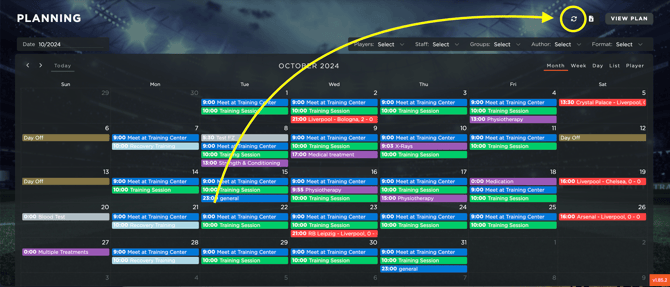
In the monthly view, clicking the resync button will update all Wyscout-created events for the selected month.
-
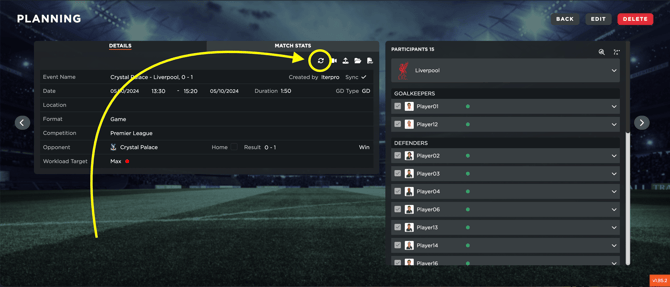
On the single event screen, you can re-sync the event by clicking the resync button.
-
If the previous solutions did not work, you can delete the event from the calendar, and Wyscout will recreate it during the next sync (at 12:00 or 00:00) with updated information.
Note that if the event does not update using any of the three methods above, Wyscout has not yet made this information available via the API. You will need to wait and try again later.