
The Strength & Conditioning plans can be viewed and accessed from within the Player App, which allows both players and coaches to have more autonomy in completion and data collection.
It's very important to keep in mind that for the S&C plans to appear in the Player App training events, the exercises and plan must have already been shared by the coaches from the Web platform.
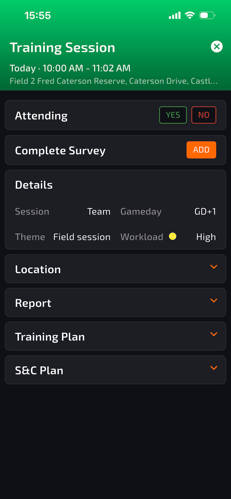
Once the workouts have been shared with players, they will be able to access them from within the calendar event for the training. Inside it, a tab called S&C plan will appear showcasing all the exercises assigned.
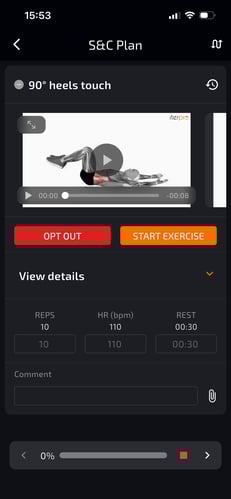
If the player clicks on any of the exercises, they will be able to see all the exercise details, instructions, and attachments.
Alongside being able to view all the necessary information to perform the workout, they will also be able to complete the training from there.
If they click on 'Start Workout', they will be able to add their actual values completed, notes, and potential attachments. Players will also be able to 'Opt-Out' and provide reasoning for why they weren't able to perform a specific exercise, as well as rearrange the order in which they did the plan.
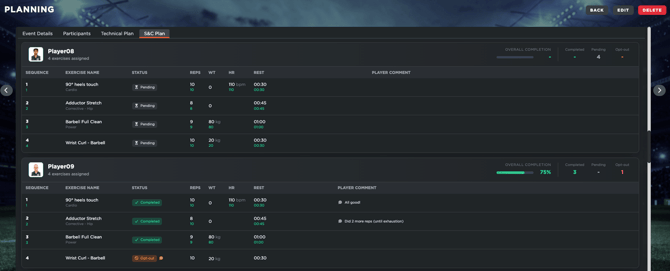
All of the progress made will be automatically displayed inside the Web platform for the coaches to see.