
Inside Iterpro's platform, you have the option to upload 3 types of videos:
1. 'Game' videos
2. 'Training' videos
3. 'Other' videos
During the process of uploading any video within these 3 types, you have the option to select the players and staff members that you choose to share this video(s) with.
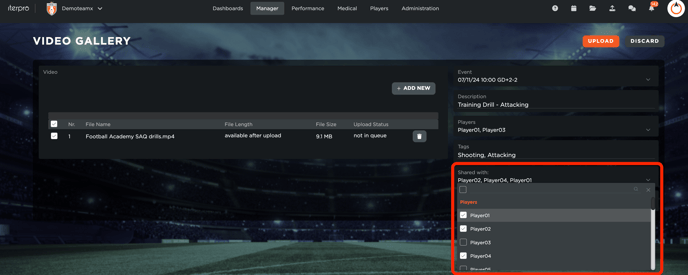
Once you choose the necessary players and staff members, click on the  button to complete uploading the video(s).