
Importing Files 
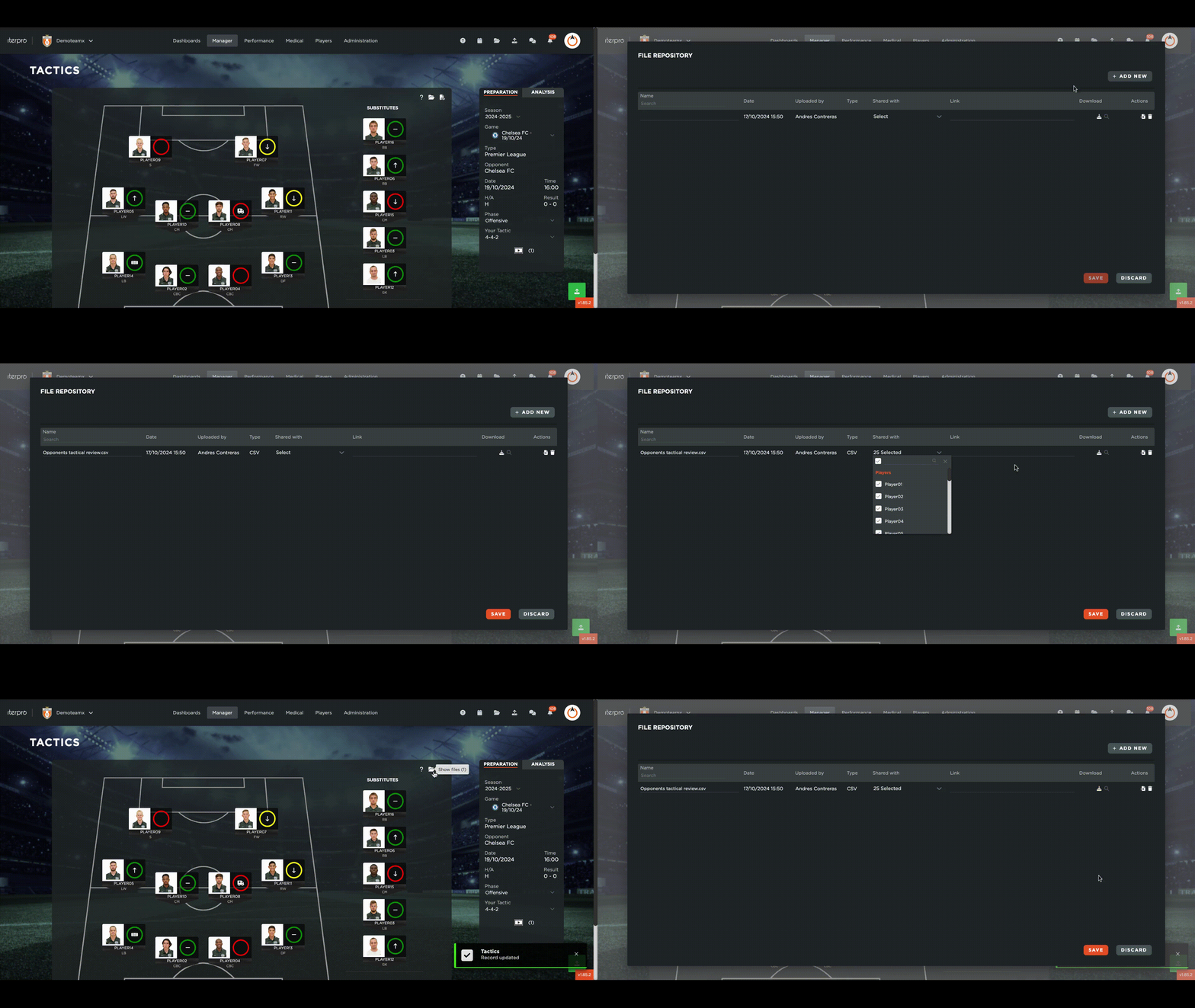
Next to the export you will find the file repository where you can upload and store files associated with this event.
You can add a new file simply by clicking on the  button, then select the
  option to choose your file and then click on the 'save' button.

You can then download  , or view
  the file, whenever you want.
You can delete a file that you no longer need by clicking on the bin icon  on the far right of the row.

If you upload a file you will be able to access it from all the areas that have a repository also associated with this game, those being:
- Tactics/ Analysis.
- Performance/ Session.
- Workload Analysis.