Infirmary - New injury stage ‘Assessment’
With the new version 1.71 of the Iterpro software, you will now be able to see a new injury stage in the Medical/ Infirmary dashboard on the far left of your screen.
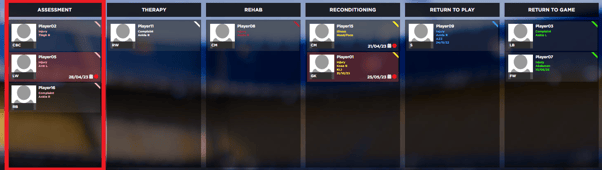
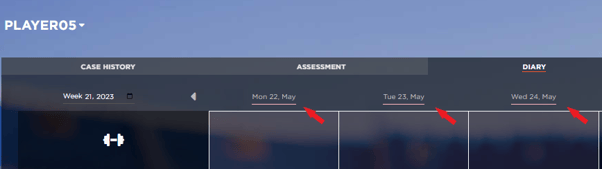
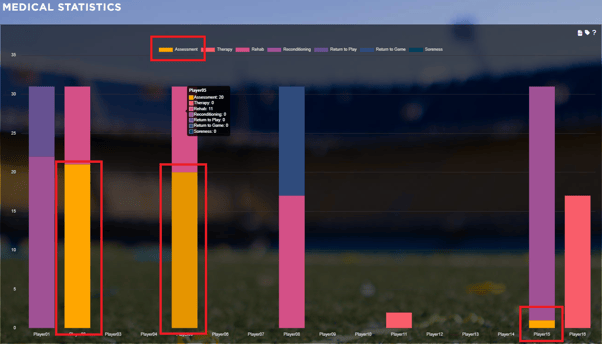
This new addition will facilitate your daily processes, and especially will be relevant when the injured player is in a transitioning state of the injury, during the creation of the injury or when the medical staff are not sure which phase the player should be at any particular moment.
This new stage of course will also be visible in all the relevant areas such as:
Infirmary/ Injury Details
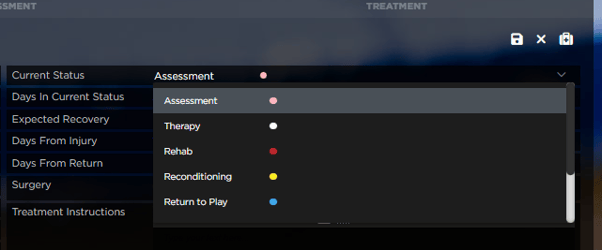
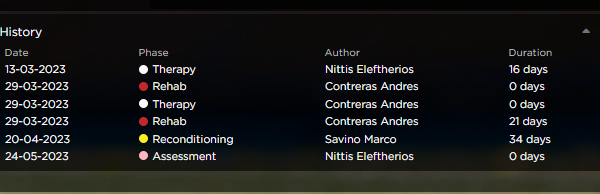
Infirmary/ Report
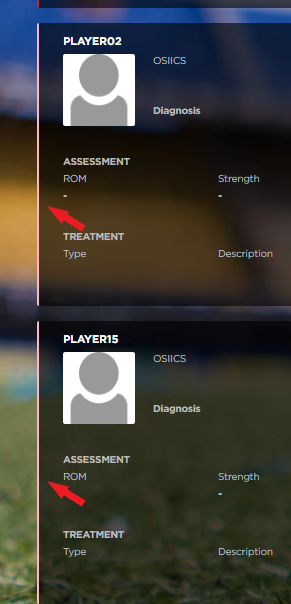
Medical Records/ Diary
Medical Statistics
Manager/ Attendances/ Activity Log

GPS Import - Options to un-select one or multiple splits
Also in this new version, when importing a new GPS session, you will have the option to deselect the values of one or more splits for all the players involved in that activity.

For example, if you are importing one session with the following splits:
- Session
- Boxes 5v2
- Set Pieces (Defensive)
You are able to deselect all the data related to a specific drill and all the players involved.
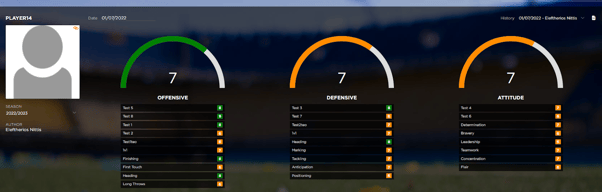
Attributes - The maximum player profile attributes per category are increased to 10 (min 6)
In preferences/ Metrics/ Drill technical goals & player profile attributes you can now select up to 30 metrics (10 for each category) for the player profile attributes in my player and scouting.
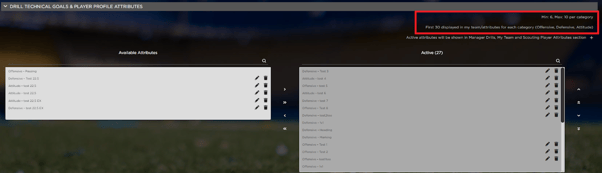
That means that each category can now have between 6 and 10 metrics of your choice, not limited to 6 anymore.
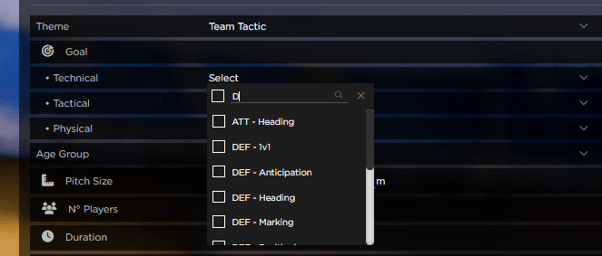
Drills - The limit for technical goals is removed
In preferences/ Metrics/ Drill technical goals & player profile attributes you can now select as many goals as you want to view and select in Manager/ Drills/ New or Edit Drill/ Technical Goals.
Legal - Notarization deactivation for allowing further changes
In the Legal section of the Iterpro platform, and inside each of your contracts’ dashboard you will now have the option to unfreeze a contract that has previously been notarized.
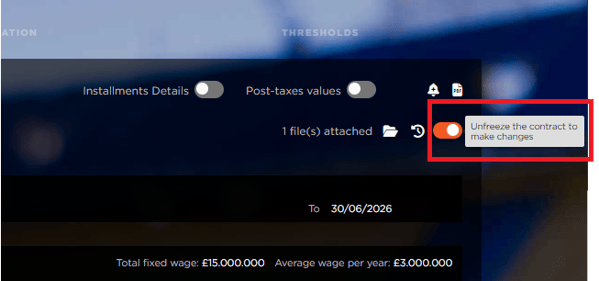
This new feature will facilitate you in case you need to add more information on the contract over time, like renegotiating installments with agents, or players, or third party clubs, adding benefits and cost notes etc.
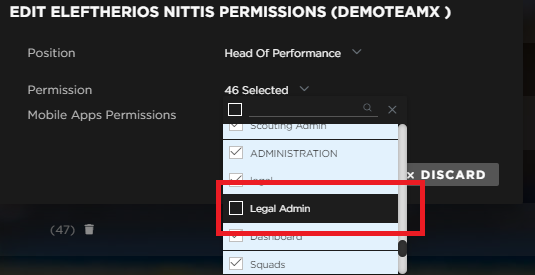
The admin of your team can give the permission to perform this change, Legal - Admin, to a single user.
Legal - Update activity log
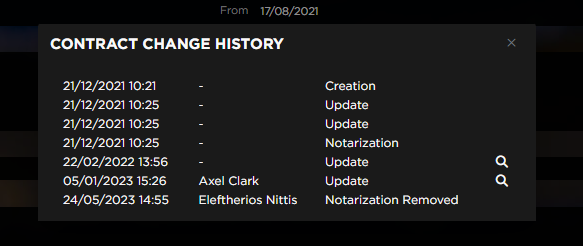
Still in the legal section, we have now updated the activity log on the contracts to incorporate the feature above (Notarization deactivation). You will now be able to not just keep a changelog of the date, time and author of the change but also the action that they performed.
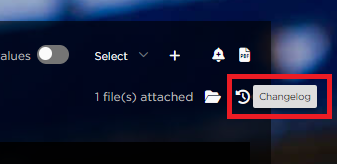
You can open the changelog from the icon on the far right of the contracts’ dashboard.
Legal - Set cap on single fee
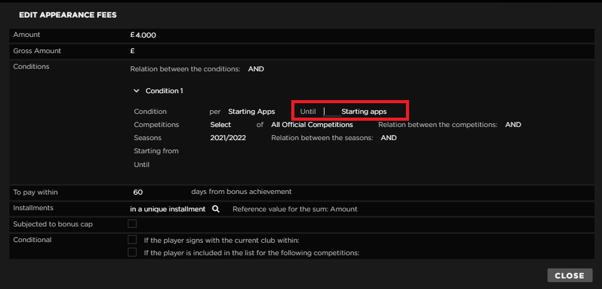
Last change on the Legal section, you can now add a cap on each bonus option for each appearence and performance fee. This is a limit that you can set manually as already implemented for the total of the bonuses.