
Iterpro's Latest Updates
Dear Iterpro Users,
We’re happy to share that Iterpro v2.5.0 is here, bringing a major upgrade to how you create and manage training content—alongside general UI improvements and bug fixes to keep everything running smoothly.
The key highlight of this release is v2 of our Drill Canva tool, which now allows you to draw and store your exercises directly within Iterpro. This enhanced version comes with better-equipped dynamics, improved equipment options, and more powerful overall tools—making it easier and faster to build clear, professional drills that your staff can reuse and organise in one place.
We’re confident these updates, together with the latest UI refinements and fixes, will help you work more efficiently and get even more value from the platform.
The Iterpro Team
Impacted Areas
1. Drills - Drill Canva
New Features
🎨 Enhanced Drill Drawing Tool
With Iterpro v2.5.0, the Drill Editor (Drill Canva) v2 introduces a cleaner workspace and a much more capable design experience—built to help you draw, save, and reuse drills directly inside Iterpro.
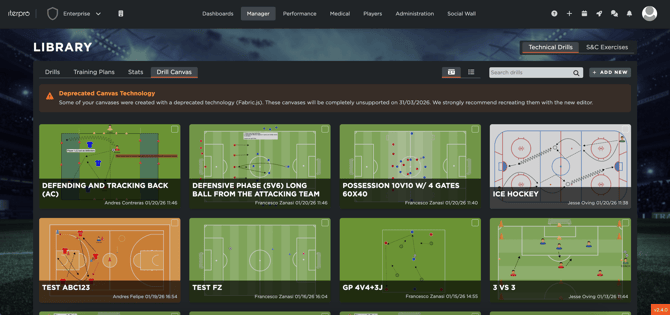
When you open the Drill Editor, you’ll work from a central canvas area where your drill is built, supported by side panels for selecting objects (players, equipment, shapes) and managing elements you’ve placed on the pitch. The editor is designed to feel fast and intuitive: pick an item, drop it onto the canvas, and adjust it instantly—without leaving the page.
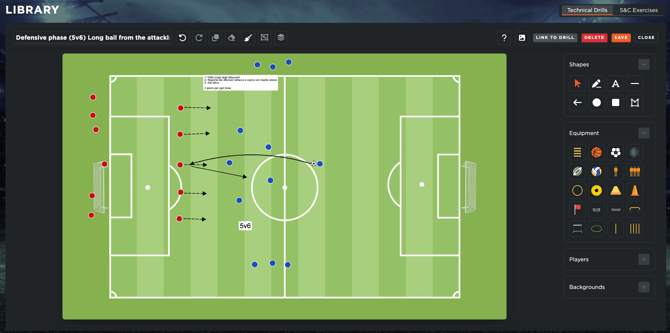
Designing drills: tools and customization
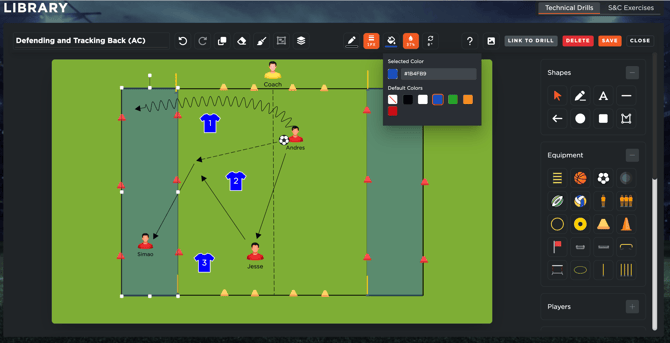
The biggest improvements in this version come from the expanded set of design controls. You can now fine-tune your visuals with:
- Color tools to clearly differentiate roles, movements, zones, and phases
- Opacity controls to layer elements cleanly and keep complex drills readable
- Shape customization for greater flexibility when building zones, markers, pathways, and drill structure
These upgrades make it easier to create drills that are both more precise and more visually consistent, especially when sharing across departments.
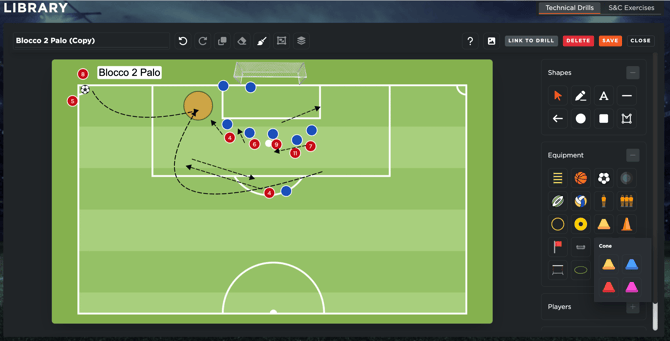
You’ll also find a much wider range of equipment and shapes, allowing you to build more realistic exercise setups. Once created, drills can be stored in Iterpro, then added to training plans and/or shared with staff and players to keep everyone aligned.
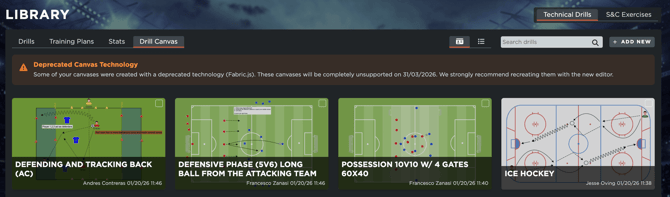
⚠️ Important: Beta drill canvases must be recreated
If you created drill canvases using the previous beta version, please note that those drills will need to be recreated in Drill Editor v2. The earlier drill format will no longer be supported in Iterpro after 31/03/2026. Don’t worry—you’ll see reminders inside the system to help you plan the transition and avoid losing access to older drill files.
Overall, this update makes your drill creation more effective, intuitive, and efficient all from within Iterpro.
Enhancements
We have also implemented several enhancements to improve your experience:
- We have made several minor User Experience improvements to make navigating through the platform easier for you.
- We have optimized the overall platform and conducted bug fixes across different software sections.