
Iterpro's Latest Updates
Dear Iterpro Users,
We’re happy to share that Iterpro v2.6.0 is now available, with updates focused on improving the look, feel, and overall experience across key areas of the platform.
In this release, we’ve introduced UI enhancements in several sections—most notably the Video Gallery, Session Analysis, and Medical areas—designed to make workflows clearer, faster, and more intuitive for everyday use.
Alongside these improvements, v2.6.0 also includes our new interactive Customer Agent Chatbot. Connected directly to our User Guide resources, it can help answer general questions, support onboarding, and guide you through common workflows. If additional assistance is needed, it can also help you open a ticket with our Customer Support team.
We’re confident these updates will help you work more efficiently and get even more value from Iterpro.
The Iterpro Team
Impacted Areas
1. Manager, My Team, Scouting - Video Gallery
2. Performance - Session Analysis
3. Customer Agent - Chatbot
New Features
🎥 Video Gallery Update: A Cleaner Look, Smarter Organization, and Better Access
With Iterpro v2.6.0, the Video Gallery has been refreshed with a new design that makes the module easier to navigate, more visually consistent, and better suited for daily use. The main improvements in this version are primarily visual, giving the Video Gallery a cleaner layout and a more modern experience — while also introducing clearer organization for the videos stored in the system.
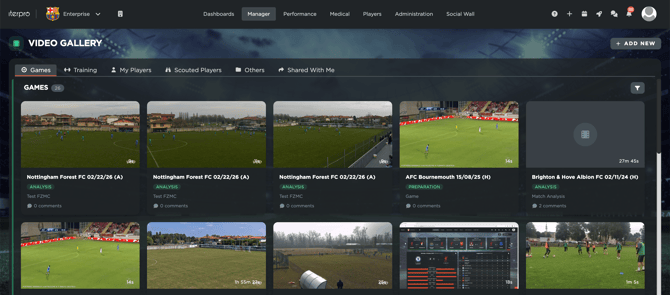
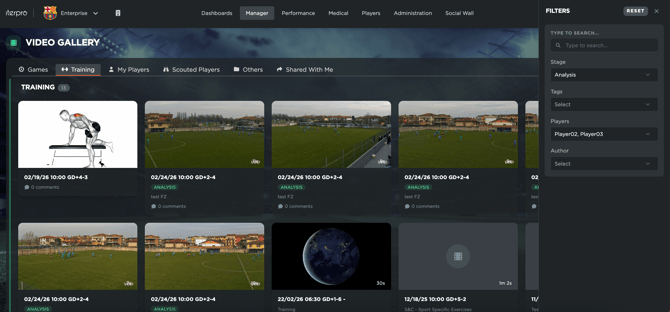
Beyond the updated look and feel, we’ve also focused on improving how videos are grouped and accessed. The new layout helps users browse content more efficiently and keep track of what’s been uploaded, without losing time searching through scattered files or unclear lists. This makes it easier to manage a growing library of content over time, especially for teams that upload frequently.
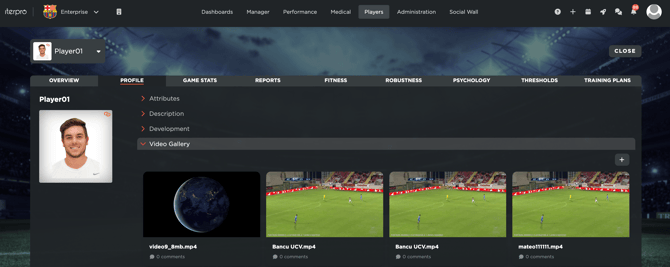
A key functional enhancement in this release is that the Video Gallery is now fully connected across Iterpro. This means that all videos uploaded under Scouting and My Team videos (added within a player’s profile) are now also visible and accessible directly from Manager → Video Gallery. In other words, the Video Gallery becomes the single, central place to find and review video content—regardless of where it was originally uploaded.
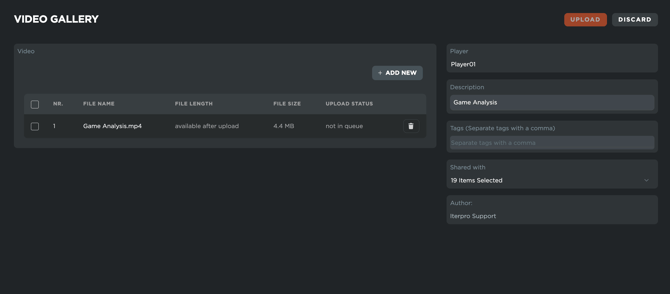
Overall, this update delivers a smoother experience, better visibility across video sources, and a more organised way to manage your club’s video library from one unified location.
📊 Session Analysis Refresh: A Cleaner Layout and More Control Over Your Data
The Session Analysis section in Iterpro v2.6.0 introduces a refreshed layout designed to make everyday analysis faster, clearer, and easier to present—while keeping all the core features you already use. The main focus of this update is UI and feature arrangement: information is now organised more intuitively, helping you move between key insights with less clicking and less visual clutter.
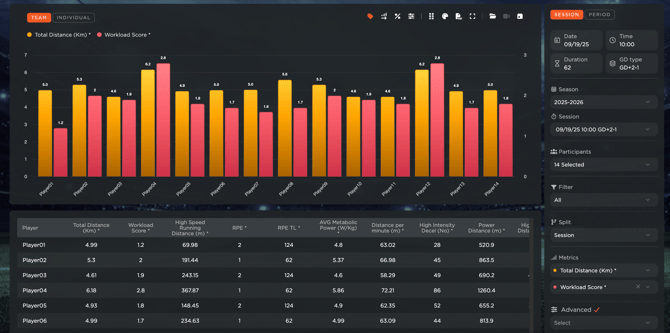
At the center of the new experience is an improved navigation system and a dedicated options menu, giving you more control over how Session Analysis looks and behaves. From here, you can tailor the view to match your workflow—selecting the data parameters you want to focus on, adjusting how metrics are displayed, and configuring the interface so the most important information is always front and center.
You’ll also be able to customise the visual presentation with settings like colour palettes, making it easier to align with your club’s preferences, improve readability, and create consistent visuals for reporting.
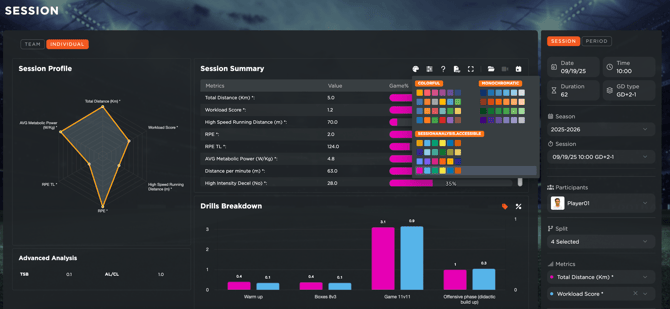
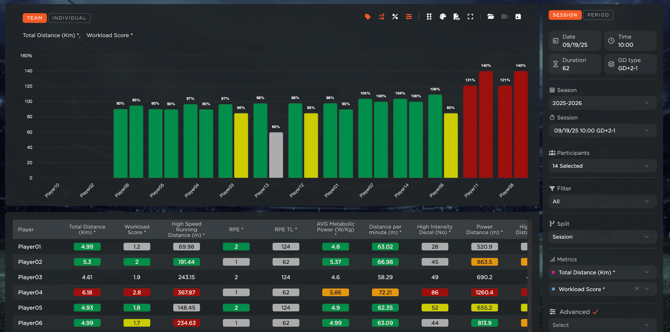
These enhancements are aimed at streamlining how you review training and match data, interpret thresholds, and track the overall performance status of your team. Whether you’re monitoring indiv, spotting trends across sessions, or preparing reports for staff meetings, the updated Session Analysis layout helps you get to the “what matters” quicker—while keeping the view flexible enough to support different roles, sports, and reporting styles.
🤖 Customer Agent Chatbot
We’ve introduced a new Customer Agent chatbot inside Iterpro, designed to help you get answers faster and make day-to-day support simpler.
The chatbot is directly connected to our User Guide resources, so it can instantly surface the most relevant articles and step-by-step guidance based on your question—whether you’re learning a feature for the first time, onboarding new staff, or double-checking a workflow.
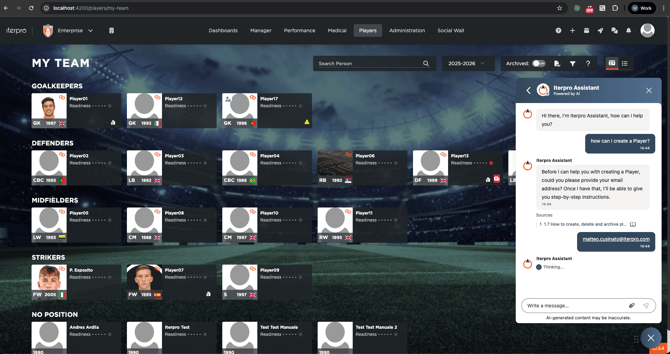
You can use the agent for general “how-to” questions, quick troubleshooting, and best-practice tips across the platform. And when you need more hands-on help, the chatbot can also assist with opening a ticket for our Customer Support team, ensuring your request includes the right context and details from the start.
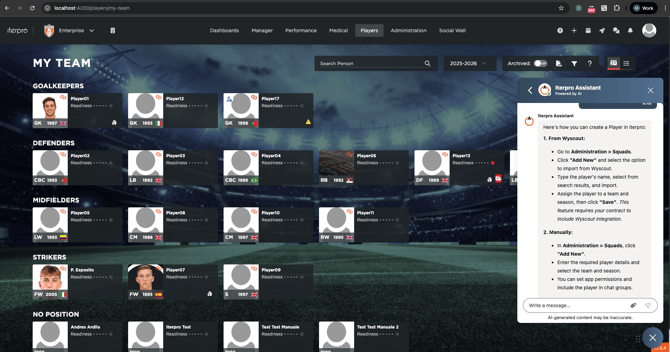
The result: quicker self-service support when you want it, and a smoother path to human assistance when you need it.
Enhancements
We have also implemented several enhancements to improve your experience:
- We have made several minor User Experience improvements to make navigating through the platform easier for you.
- We have optimized the overall platform and conducted bug fixes across different software sections.