
PLAYER APP
COACH APP
DIRECTOR APP
FEATURES DESCRIPTION
Our mobile applications allow players/parents, coaches, staff members, and directors to stay connected and operate directly from their mobile devices at any time.
Once a user is invited to any of the mobile apps — whether it is the Player App, Coach App, or Director App — they will receive an email invitation allowing them to accept the invitation, register, and log into the app.
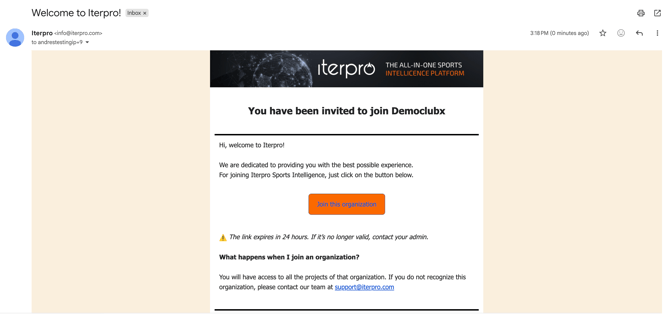
For security reasons, invitations remain valid for 24 hours only. If a player or staff member does not complete the registration process within that period, a new invitation must be sent by an administrator.
For the Coach App and Director App, users can log in using the same credentials they already use for the web platform. All three applications are available for download on both iOS and Android devices through their respective app stores.
For more detailed information regarding invitations and registration, please refer to the dedicated articles about these processes in detail.
Login Methods
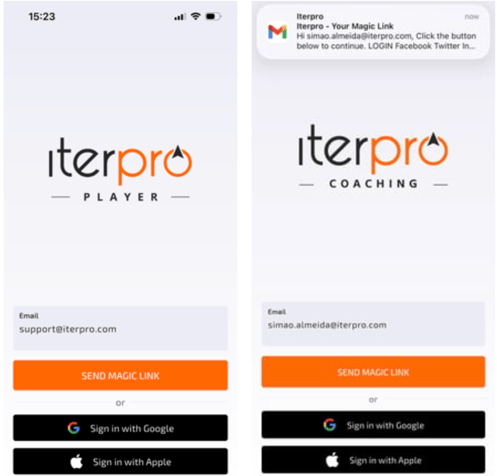
All apps follow the same login process. Once users have accepted their invitation, they can log in through:
- Magic Link Login – Users receive a temporary login token via email that allows secure access to the application. The Magic Link remains valid for 15 minutes.
- Google or Apple Login – If the invited email address belongs to a Google or Apple account, users can authenticate directly through those providers for a faster and more automated login experience.
Player App
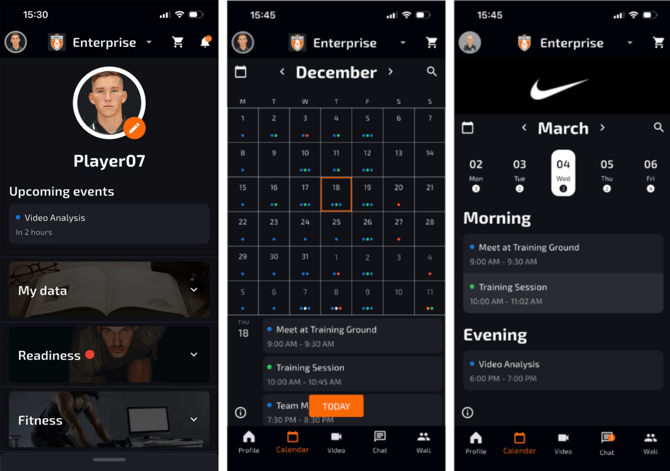
The Player App allows players to manage and visualize their team-related information and daily activities. Players can access:
- Personal information
- Team and individual statistics
- Medical information
- Schedules and calendars
- Training sessions, games, treatments, and other events
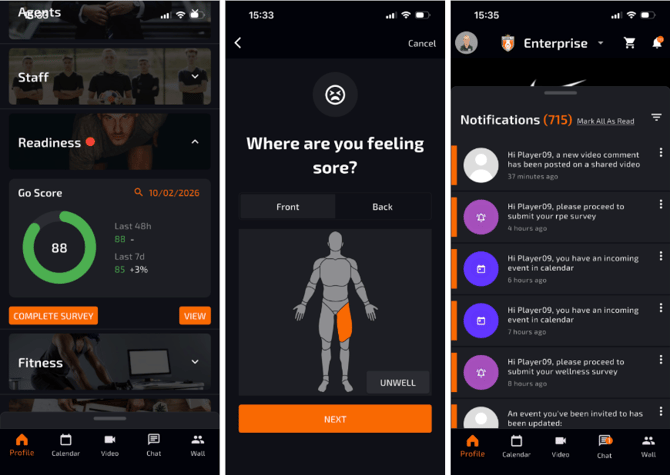
Players can also complete Wellness and RPE surveys directly from the app through notifications or via the Readiness and session sections.
Administrators maintain full control over which areas and information are visible to players within the app. For more information, please have a look at this quick article.
Coach App
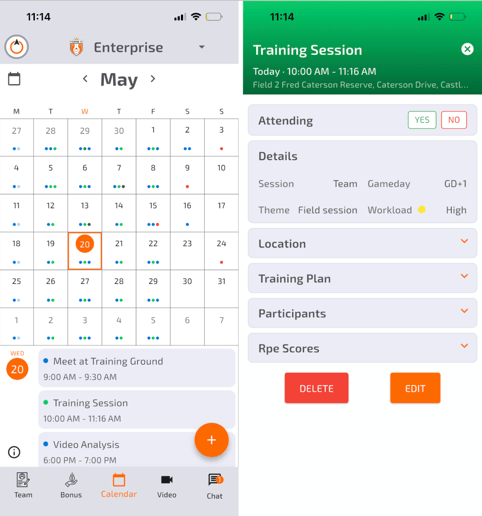
The Coach App is the mobile operational tool for team staff members such as coaches, doctors, physios, and analysts. Staff users can access the same information available on the web platform while operating on the go.
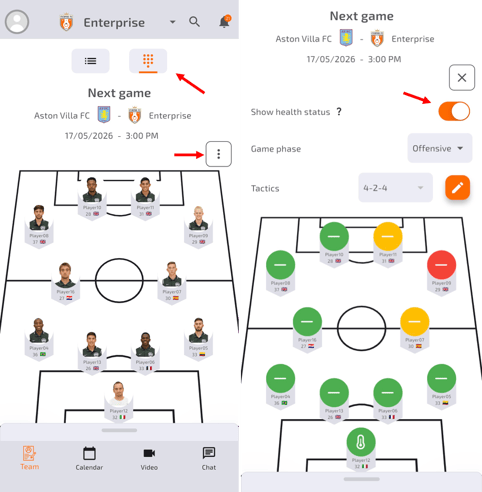
Through the app, users can:
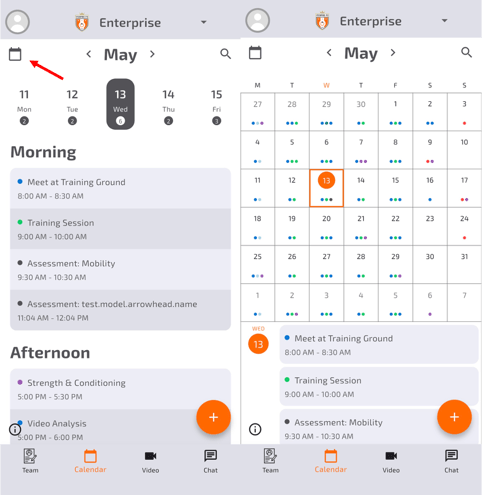
- Track events and schedules
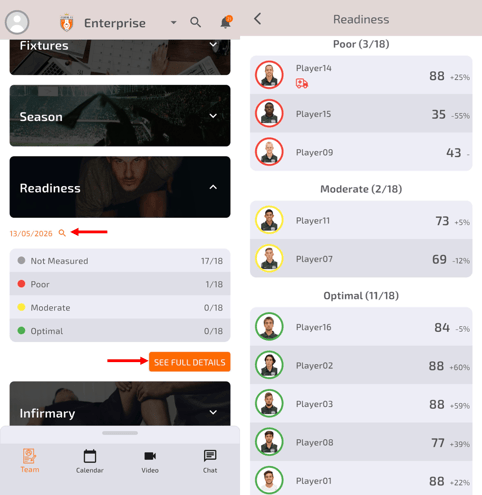
- Analyze player performance and physical status
- Create events
- Add game statistics
- Complete player reports
- Perform daily operational tasks
Director App
The Director App provides club management and directors with centralized mobile access to strategic club information.
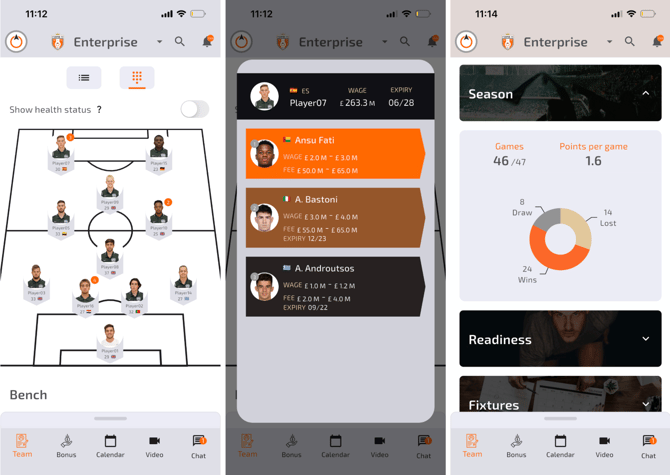
Users can:
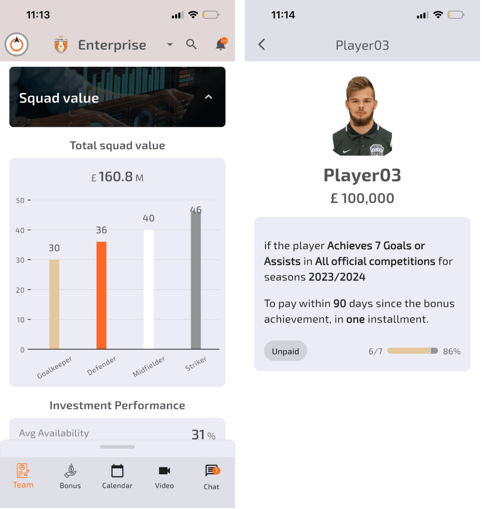
- Monitor player and team performance
- Analyze contractual and financial data
- Track bonuses and financial KPIs
- Access scouting reports and shortlists
As with the Coach App, administrators can configure permissions and visibility settings to ensure each user only accesses the information relevant to their role.