
FEATURE DESCRIPTION
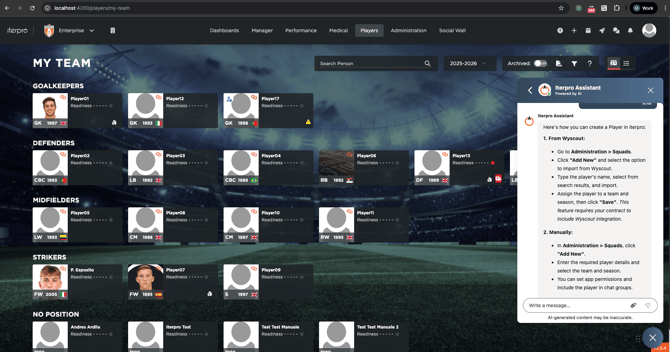
The Customer Agent Chatbot is built into Iterpro to help you get answers fast while you work. You can use it to ask general “how-to” questions, clarify platform features, and get guidance on setup or autonomous onboarding.
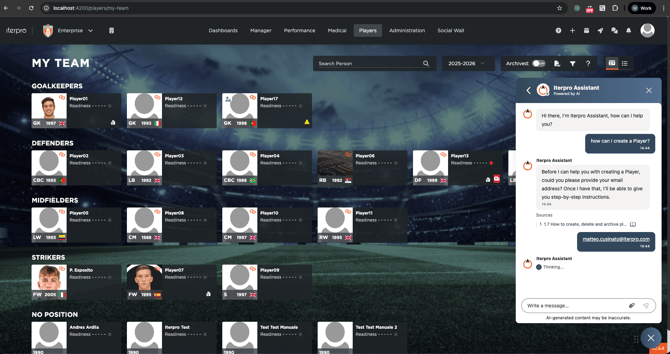
Because it’s directly connected to Iterpro’s User Guide resources, the chatbot replies using official documentation and training materials. When it answers, it will cite and link the specific articles or videos the information comes from, so you can open the source and explore the topic in more depth.
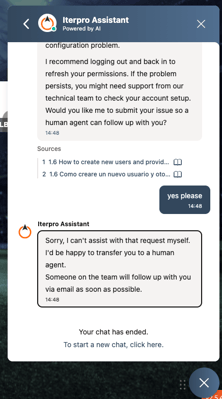
If you run into an issue, or the chatbot can’t answer your question as expected, you can use the same chat to open a request with our Customer Support team. The chatbot will ask you if you want a 'human agent' to follow up, and the request will be passed on to our team, who will get back to you as soon as possible.
Important to note: the chatbot is designed for operational assistance only. Since it is connected to the User Guide, it provides guidance on workflows, best practices, and feature usage, but it does not access or disclose data from your Iterpro account. That means it won’t retrieve or analyze your club’s internal information, financial data, player records, or any private content.
In short, the Customer Agent Chatbot helps you learn, set up, and troubleshoot Iterpro—backed by trusted User Guide sources—and offers a simple path to Customer Support when you need human help.