Planning - Adding staff members as participants in game events
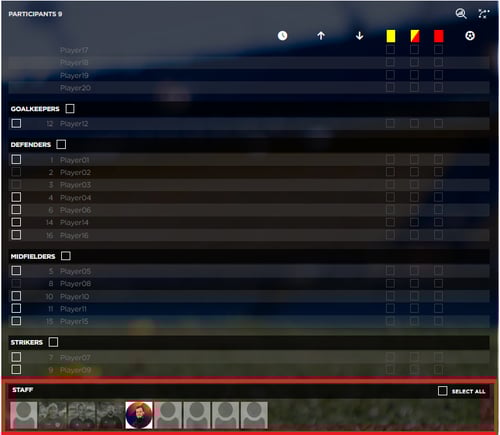
With the new version 1.69 of the Iterpro software, you will now be able to add staff members, as participants, also in the game events, giving you the option to better track the list of people included in the event on the web app, and also the mobile apps.
You will find the list of your active staff members at the bottom of the participants' panel on the right side of the game event dashboard.
Planning - Sharing files with selected players, & staff members, from a planning event
Also, in this new version, you will be able to select with which players & staff you would like to share a specific document through a planning event.
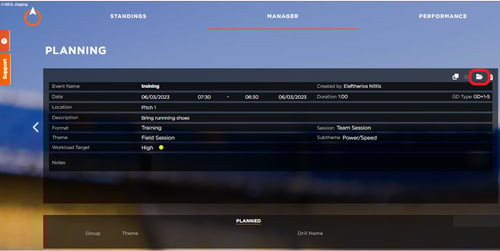
To view this new feature access the file repository from the action bar of the event:
Then you should see a new option in the repository which is the 'Shared with' drop-down:
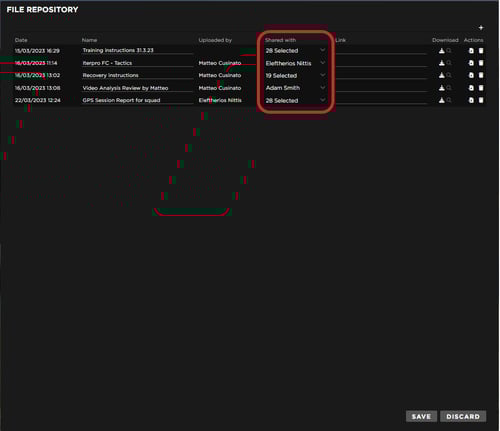
Using this drop-down you can choose between all the active players & staff on your team, from whom to share each particular document with. You can select one or multiple, players or staff.
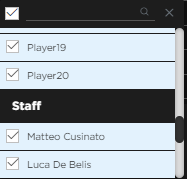
The players will see on the 'Iterpro player' app only the files that you have shared with them specifically.
![Screenshot_20230331_142543_[stage] Player](https://support.iterpro.com/hs-fs/hubfs/Screenshot_20230331_142543_%5Bstage%5D%20Player.jpg?upscale=true&upscale=true&width=250&height=542&name=Screenshot_20230331_142543_%5Bstage%5D%20Player.jpg)
Same for the staff members, but this time through our brand new app that will be launching soon in stores, the 'Iterpro coach' app, currently on BETA testing.
![Screenshot_20230331_143113_[stage] Coach](https://support.iterpro.com/hs-fs/hubfs/Screenshot_20230331_143113_%5Bstage%5D%20Coach.jpg?upscale=true&upscale=true&width=250&height=542&name=Screenshot_20230331_143113_%5Bstage%5D%20Coach.jpg)
Scouting - Enhanced filters & columns on the list view
Numerous new filters & columns have been added in the scouting section/ list view that will allow you to generate a far more detailed and intuitive report of the players that you are scouting for.
The filters & table column section include a few new options like Birth Year, Attribute score, Last report date etc.
In order to access these new features you just need to click on the filter hyphen, on the action bar located at the top right of the list view.
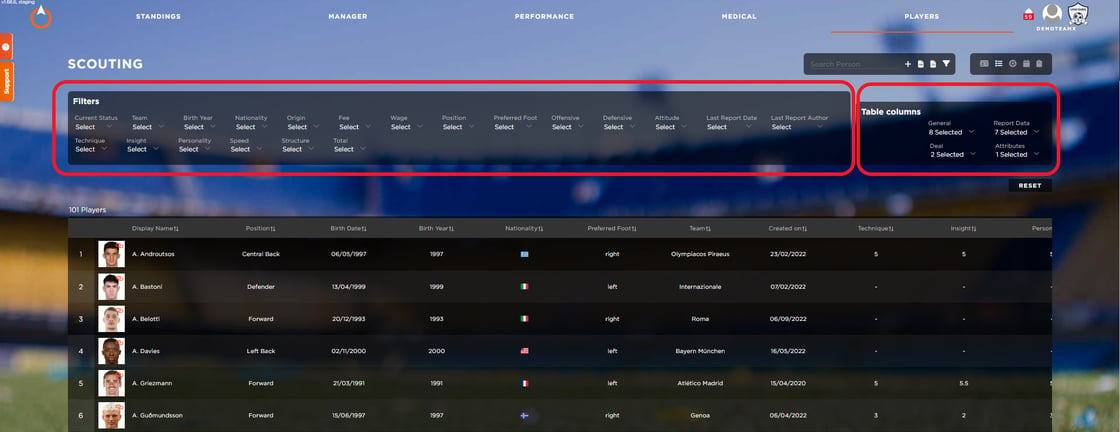
Readiness - New list view
In the Readiness section, we have added a brand new view of your players to facilitate the quick reporting of the information in that section. You can access this view from the action bar on the top right.
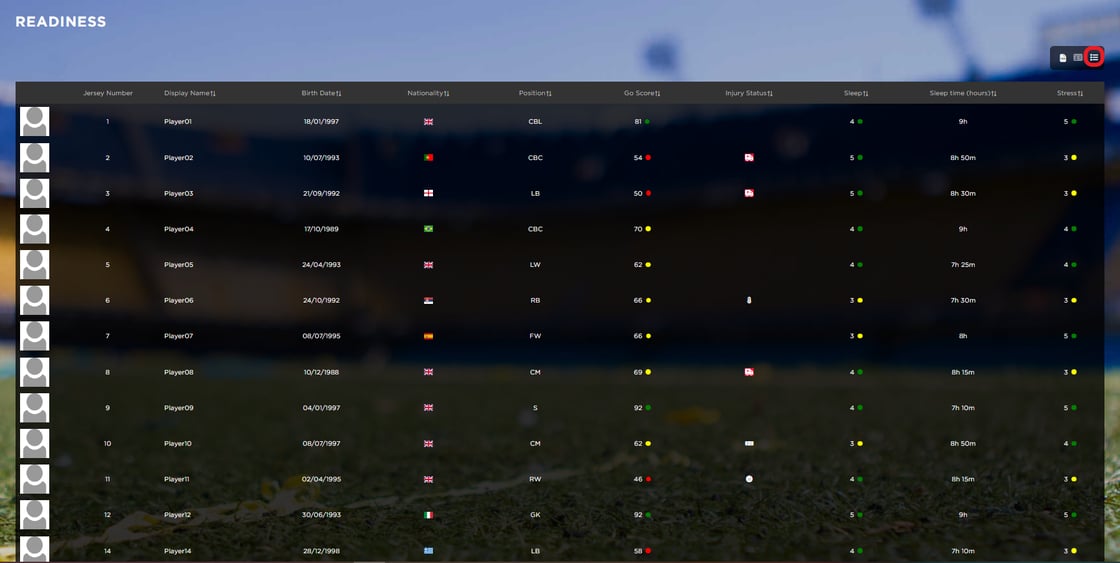
This will instantly make this feature more powerful for you as you will be able to harness the essential information you are looking for without accessing the player profile.
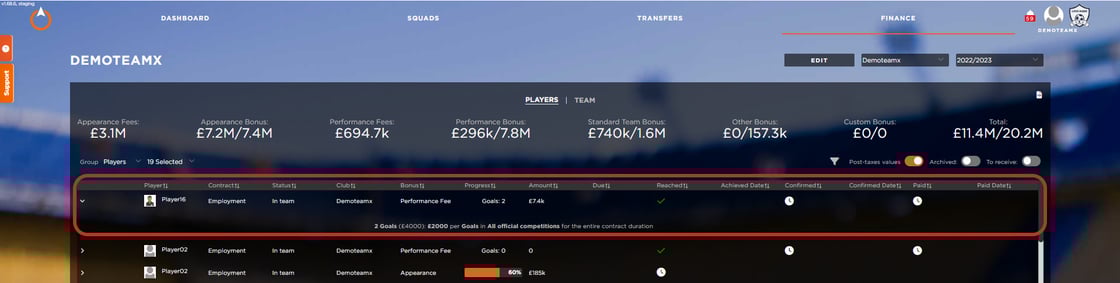
Legal - Bonus - Add a new type of bonus: 'Performance Fees'
On the legal section and specifically on the bonus section of a player's contract you can now add a new type of bonus, the 'Performance Fee'.
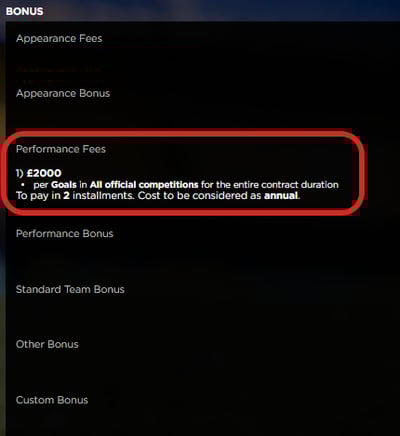
This type of bonus will give you the option to set up a recurring fee, similar to an 'Appearance Fee', but in this case the condition to be met, will be one based on performance, such as Goals, Assists, Clean Sheets, or successful passes.
You can still keep track of those bonus types on the bonus list, as well as setup the relevant notification settings to be notified about any achievement of this bonus.