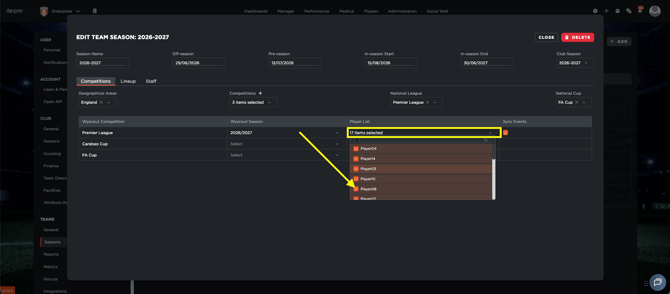
If you cannot select a player in a game event, the player is usually not included in the player list for the competition linked to that event.
In Iterpro, a player must be assigned to the specific competition before they can be selected as a participant. If the player is not part of that competition roster, they will not appear in the selection list.
To make the player available for selection, a CLUB ADMIN USER needs to add the player to the correct competition.
Follow these steps:
- Go to Settings.
- Select the current season.
- Open the relevant competition.
- Edit the competition where the player needs to be available.
- In Player List, add the player or players to that competition.
- Save the changes.
- Return to the game event and refresh or reopen the participant selection screen.
- Select the player again.