
- 00.10: explanation of dynamic table
- 00.18: accessing filters
- 00.28: customizing table's columns with administrative and financial values
- 00.52: export in PDF or CSV format
Feature Description
The Squads Table in the Administration section serves as both a management tool for your current team players and a dynamic reporting system.
How to Use the Squads Table:
- Filter and Customize Player Lists: Easily switch between players, staff, agents, or teams using the available filtering options.
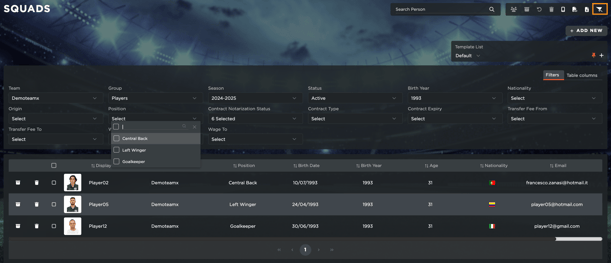
- Customize Table Columns: Choose which data fields to display, including financial metrics like net salary, asset values, and amortization. Simply access "Table Columns" and customize your reports.
- Access Contract Data & KPIs: Instantly view contract details and system-calculated key performance indicators (KPIs) with a single click once you select the desired metric.
- Export Reports: Save your customized report as a PDF or CSV for quick sharing with colleagues.
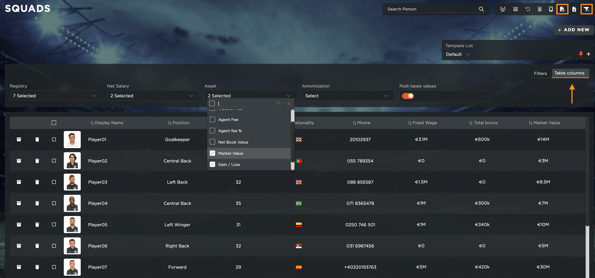
This feature allows you to efficiently track and analyze player financials while generating professional reports tailored to your needs.