LOGIN & SETUP PROCESS
- 00.05: accepting invitation to player app
- 00.14: login with magic link
- 00.28: login with Google or Apple credentials
- 00.45: personal settings and notifications
PLAYER'S PROFILE
- 00.04: accessing the player profile tab
- 00.14: how to contact and see team staff members
- 00.27: how to see performance and seasonal statistics (fixtures, tests, statistics, and seasonal KPIs)
- 00.40: how to see readiness values and answer wellness survey/questionnaire
- 01.02: how to see player's personal seasonal data (medical, injuries, and availability)
- 01.11: how to see player's administrative and financial data (contract, bonuses, and career statistics)
CALENDAR
- 00.07: accessing the calendar's different views (monthly and daily)
- 00.25: accessing events in the calendar
- 00.30: explanation of training event details
- 00.47: explanation of S&C workouts
- 00.58: event notifications
VIDEO GALLERY, CHATTING TOOL, AND SOCIAL WALL
- 00.01: accessing the video gallery
- 00.11: shared video details and comments
- 00.20: accessing the chatting tool
- 00.28: creating a new chat or group with players or staff members
- 00.40: accessing the social wall posts
NOTIFICATIONS
- 00.05: explanation of notification logic in the mobile apps
- 00.20: accessing the notifications settings in the player app
- 00.30: setting up the notifications
- 00.42: visualizing and filtering the received notification reminders
FEATURE DESCRIPTION
Login & Setup
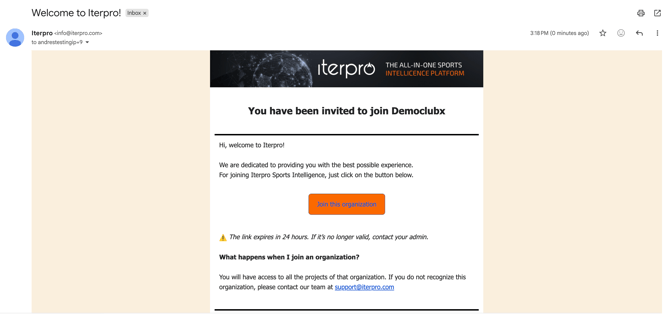
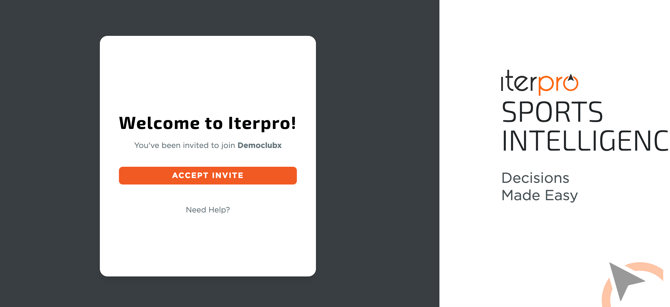
Once you have been invited by your club's admin, you will receive an email to your address informing you that you have been invited to your account. Within this email, you will simply have to accept the invitation and download the Iterpro Player App from your mobile store.
After your first login, you will be able to access every time using the following options:
- Magic Link, which you will receive at your email address, acts as a temporary token to enter the application. Keep in mind it has a duration of 10 minutes.
- Google or Apple logins, which will allow you to enter utilizing your credentials for those. It's important to keep in mind that these options will work only if your email is handled by either Google or Apple (i.e @gmail.com emails)
- FaceID or Fingerprints can be enabled and are handled for automatic access to the app within your mobile settings.
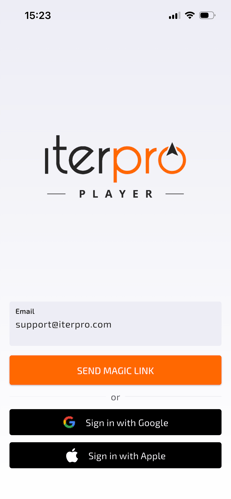
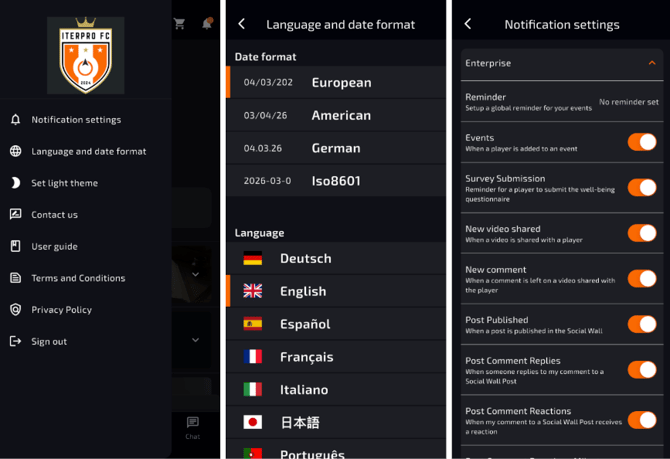
Once you have logged in, you will be able to set up your account details, like Profile Picture, Language, and, very importantly, the notifications you wish to receive.
Player's Profile
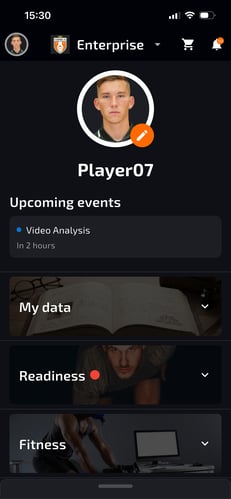
Once logged into the Iterpro Player App, users are greeted with their home profile, where they can access personal details stored on the platform along with relevant team information. Here, players can view all staff members associated with their team and contact them if their details have been provided.
The profile section also offers insights into player performance and team statistics for the season. Users can review test results, analyze past and upcoming fixtures, and access match statistics for both their team and opponents. Additionally, seasonal statistics and key performance indicators (KPIs) are available for further analysis.
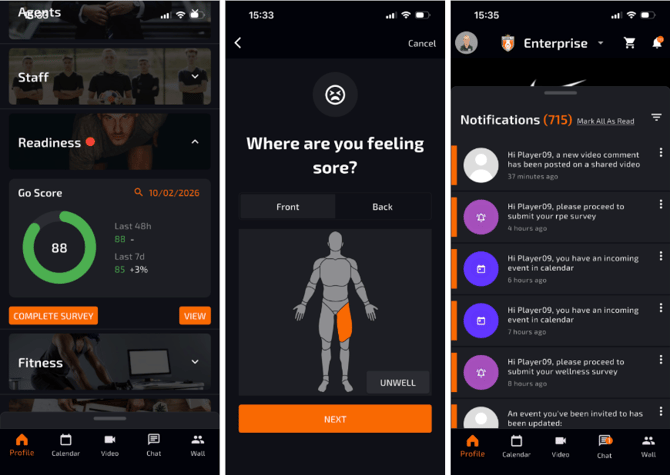
Players can also check their readiness levels, with visibility into the factors contributing to their readiness scores. From within this section, in fact, they will be able to answer the daily Wellness Survey and provide you with the desired information before practice (Sleep time, mood, soreness, tiredness, etc..).
This action can also be done through the notification panel when they receive the confirmation to complete the survey.
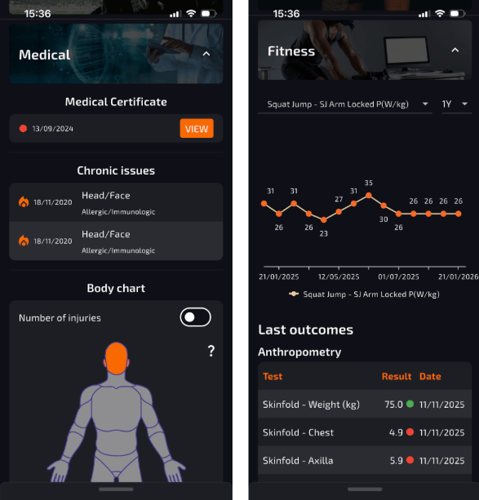
Medical information, including certificates, chronic issues, and injury history, is also accessible. Furthermore, availability records over the season can be reviewed, along with financial and administrative documents uploaded to the platform.
Calendar
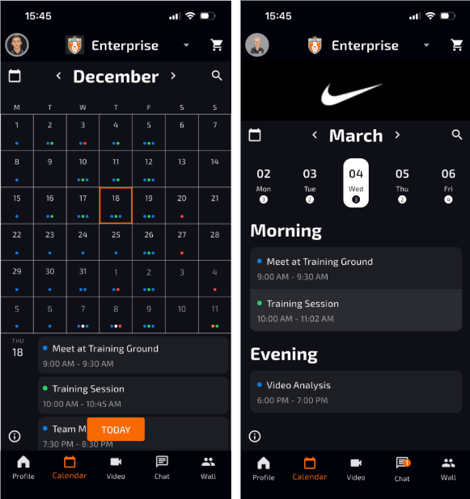
The calendar feature allows players to manage and keep track of all events they are involved in, such as matches, training sessions, meetings, and medical appointments. The daily and monthly views help players navigate their schedules efficiently.
The app provides an intuitive way to browse the calendar, moving between months or selecting specific dates. A legend feature is also available to help users understand the colour-coded event categories.
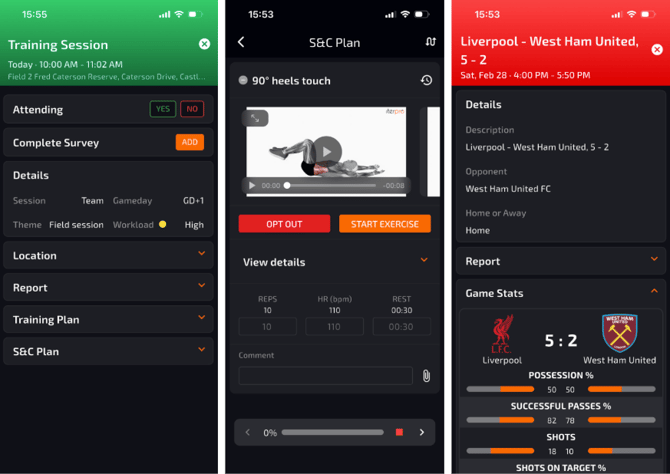
By selecting a specific event, players can see detailed information, including training session objectives, expected drills, RPE scores (which are submittable through the events), training plans (S&C and Technical), and any relevant reports or documents. Each event type will provide the shared information for each.
This will allow players to keep track of their session in autonomy and provide you with instant feedback where needed.
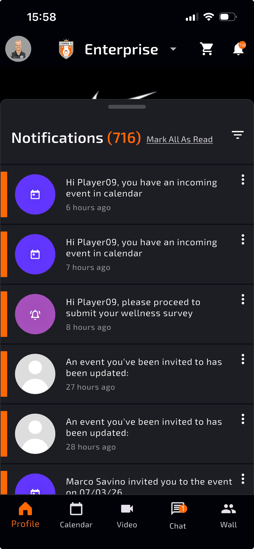
The calendar, connected with the notifications for event invitations, updates, and RSVP, are an extremely useful tool to keep everyone aware of their day-to-day activities.
Video Gallery, Chatting Tool & Social Wall
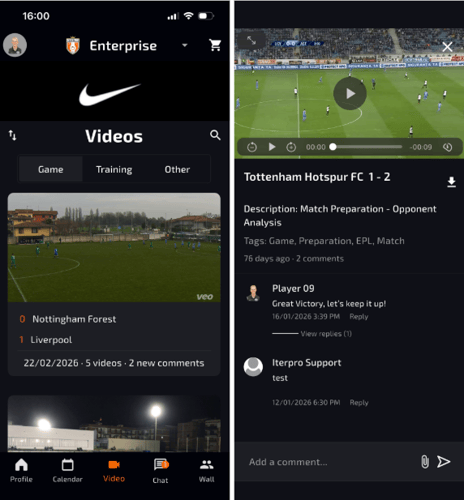
The video gallery section provides access to shared game footage, training videos, and other relevant media. Players can open each video to review details, download it, and engage with the content by commenting. Staff and teammates can respond to comments, fostering better communication and understanding.
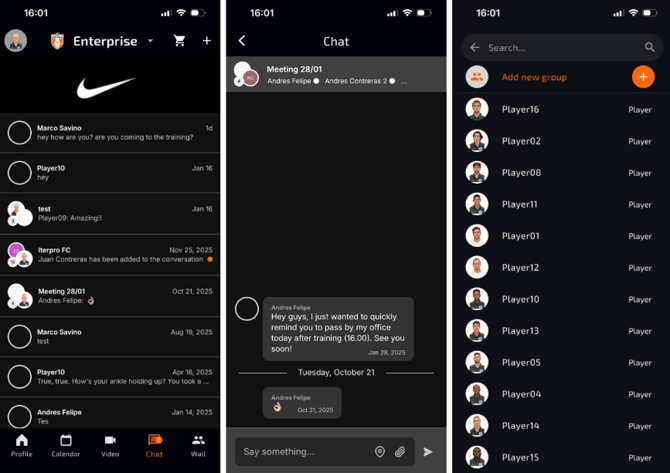
The chatting tool enables direct communication between players and staff. Users can create one-on-one chats or group discussions. To start a chat, players can click the plus icon, select teammates or staff, and initiate conversations. For group chats, multiple participants can be selected before finalizing the group creation. This feature streamlines communication within the team, ensuring that all professional discussions stay within the app.
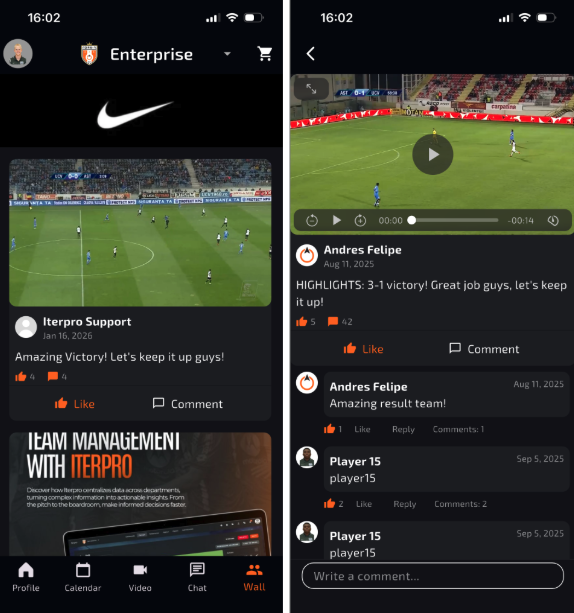
Finally, the social wall allows players to engage with posts created by coaches through the web app. Players can access and interact with posts, view attached images or videos, and participate in discussions by liking, commenting, or replying. However, visibility of the social wall depends on the permissions granted by the team through the web platform.
Notification Panel
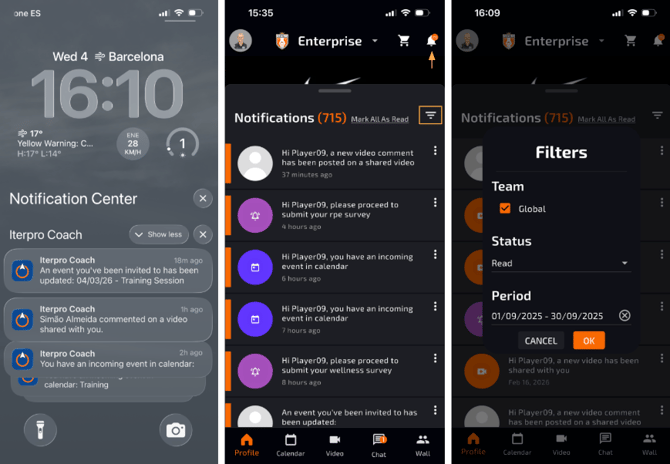
The Iterpro Player App ensures that team members stay informed about important updates via notifications. Players receive alerts regarding event invitations, wellness/RPE submissions, and other relevant activities.
All notifications are customizable within the app's settings so that each user get's informed of what they really are interested in.
Once configured, notifications will appear directly on the player's phone (push notification) and within the app’s notification panel (bell icon on the top right). Users can filter notifications for better organization and, by selecting a specific notification, they will be redirected to the related event or update.