
Within Performance > Readiness, users can access the Period tab to analyze Readiness scores over a custom time frame. There are no restrictions on the period length, though keep in mind that selecting a very large range may make the chart less readable.
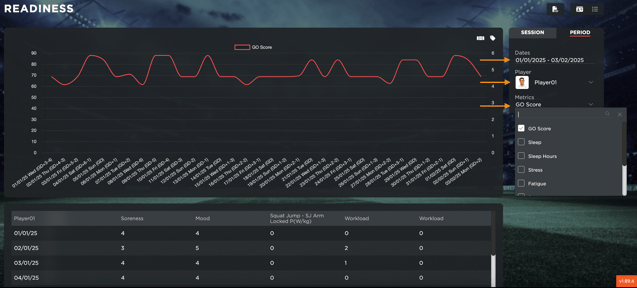
Once a time period is selected, users can choose a specific player to analyze. Additionally, they can select up to two metrics to compare over the chosen period. The available metrics are those configured as rules within Settings > Go Score.
For a deeper understanding of how these metrics are set and influence the Readiness analysis, refer to this guide.
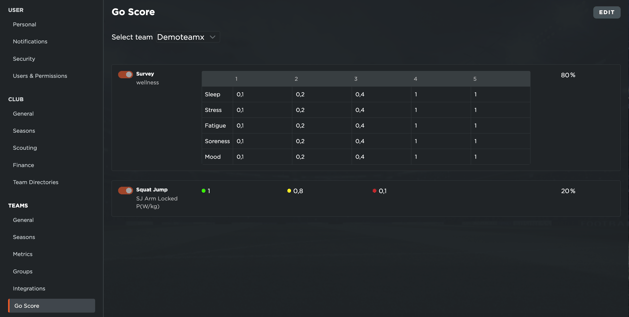
This tool allows users to track trends in player Readiness across multiple sessions, helping them make informed decisions based on performance patterns over time.