
If you want to apply your active notifications, along with their associated settings, to other users across different teams, follow these steps:
-
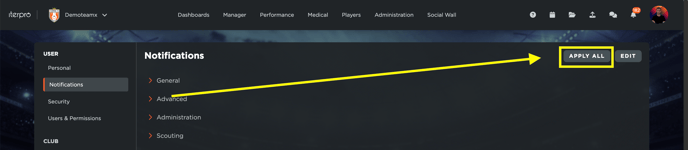
Go to Settings > User > Notifications.
-
Click the Apply all button located at the top right corner of the screen.
-
Select the teams to which you want to apply your notification settings.
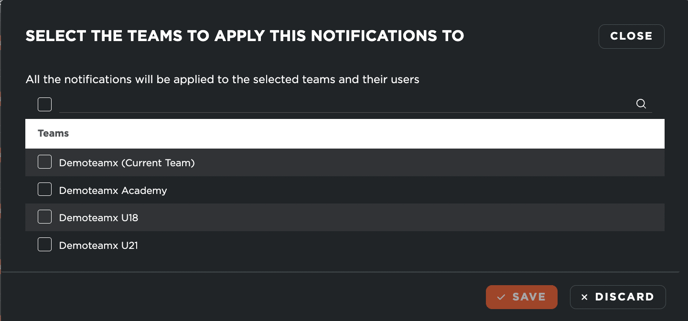
- Click on Save.
Once you’ve completed these steps, all users who have access to the selected team(s) will automatically have your active notifications and their associated settings applied to their accounts. This is a quick and efficient way to ensure consistency in notification preferences across multiple teams.