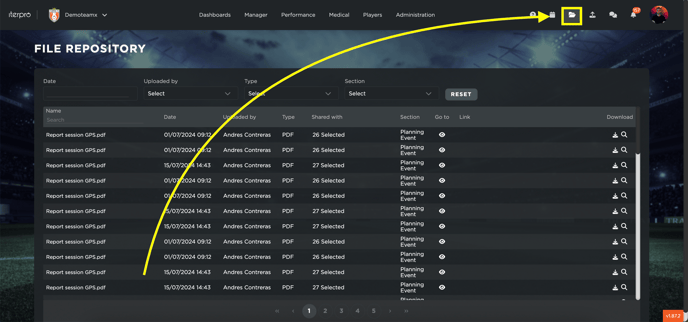
In the File Repository section, you can check and filter all the files that have been uploaded into the Iterpro. Keep in mind that only ADMIN users will be able to access this feature. You can access this screen by clicking on the specific icon in the top-right corner of the screen:
You can filter the files in the list by:
- Date (when the file is uploaded)
- Uploaded by (which user uploads the file)
- Type (format of the file, such as PDF, PNG.. etc)
- Section (in which screen of the software the file is uploaded)
- Name (typing the name of the file)

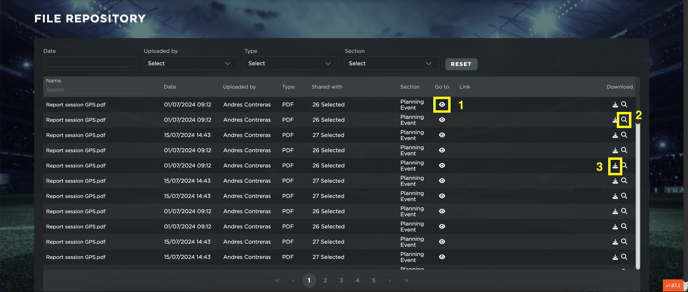
Furthermore, you can also:
- Be redirected to the file by clicking the icon GO TO
- Display a preview of the file (when possible) by clicking on the LENS icon
- Download the file by clicking on the DOWNLOAD icon