- 00.10: activity log
- 00.18: attendance statistics
FEATURE DESCRIPTION
With the information collected daily in the Planning and Medical sections, you can generate specific statistics in the Attendances section.
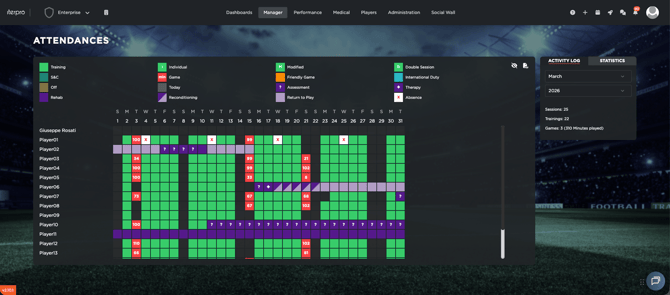
Activity Log
The Activity Log provides a detailed register of all daily activities for each player. This allows you to track and review past records efficiently. By clicking on the "eye" icon on the top-right corner, you can see the legend which help you to understand all the feedback found in the table.
Statistics
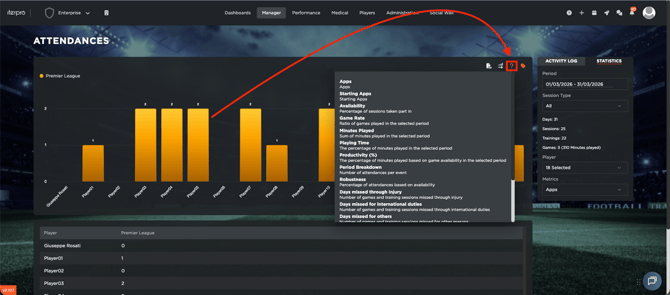
By navigating to the Statistics tab, you can access real-time analysis based on the data entered in the Planning and Medical sections. These insights help monitor attendance trends and assess player availability.
To understand the available metrics, click on the question mark icon, where you’ll find a quick explanation of each statistic.