PLAYER OVERVIEW, CAREER & NOTES
- 00.06: Accessing the overview tab
- 00.08: Explanation of different details that can be added/edited about the player
- 00.22: File Repository
- 00.33: Details for players exported from Wyscout
- 00.42: Adding scouted players to transfer scenarios
- 00.56: Explanation of career statistics
- 01.10: Explanation of notes section
PLAYER REPORT
- 00.01: explanation of player reports
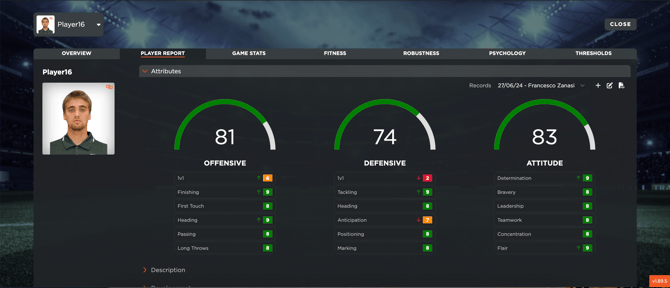
- 00.06: attributes player evaluations
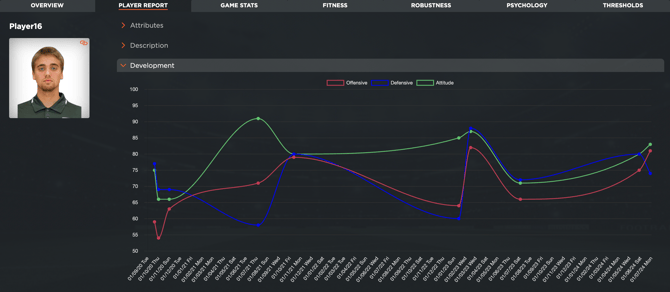
- 00.33: explanation of player's development
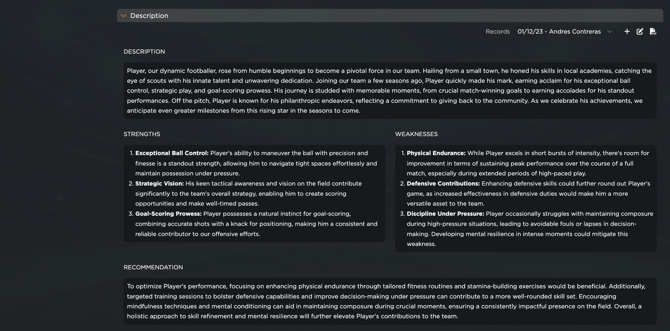
- 00.48: adding descriptions and feedback about players
- 00.56: adding videos about the player
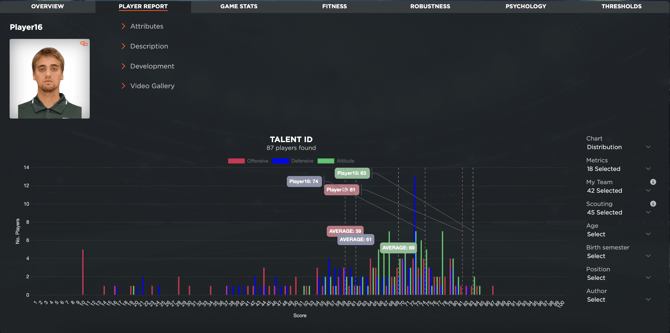
- 01.01: explanation of Talent ID analysis
GAME REPORT
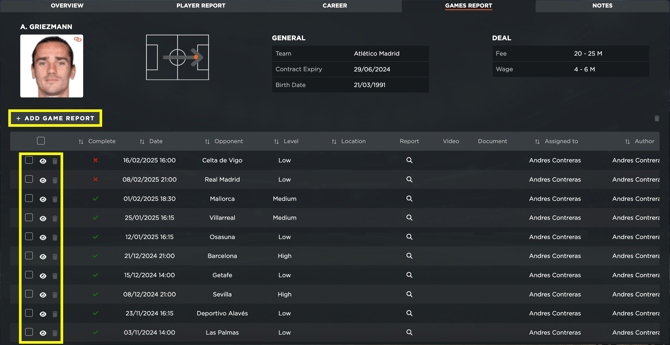
- 00.08: explanation of game reports table
- 00.16: creating a game report for the player
- 00.30: accessing the specific game reports created
- 00.38: explanation of scouting game reports
- 00.49: deleting game reports
FEATURE DESCRIPTION
Player Overview & Career
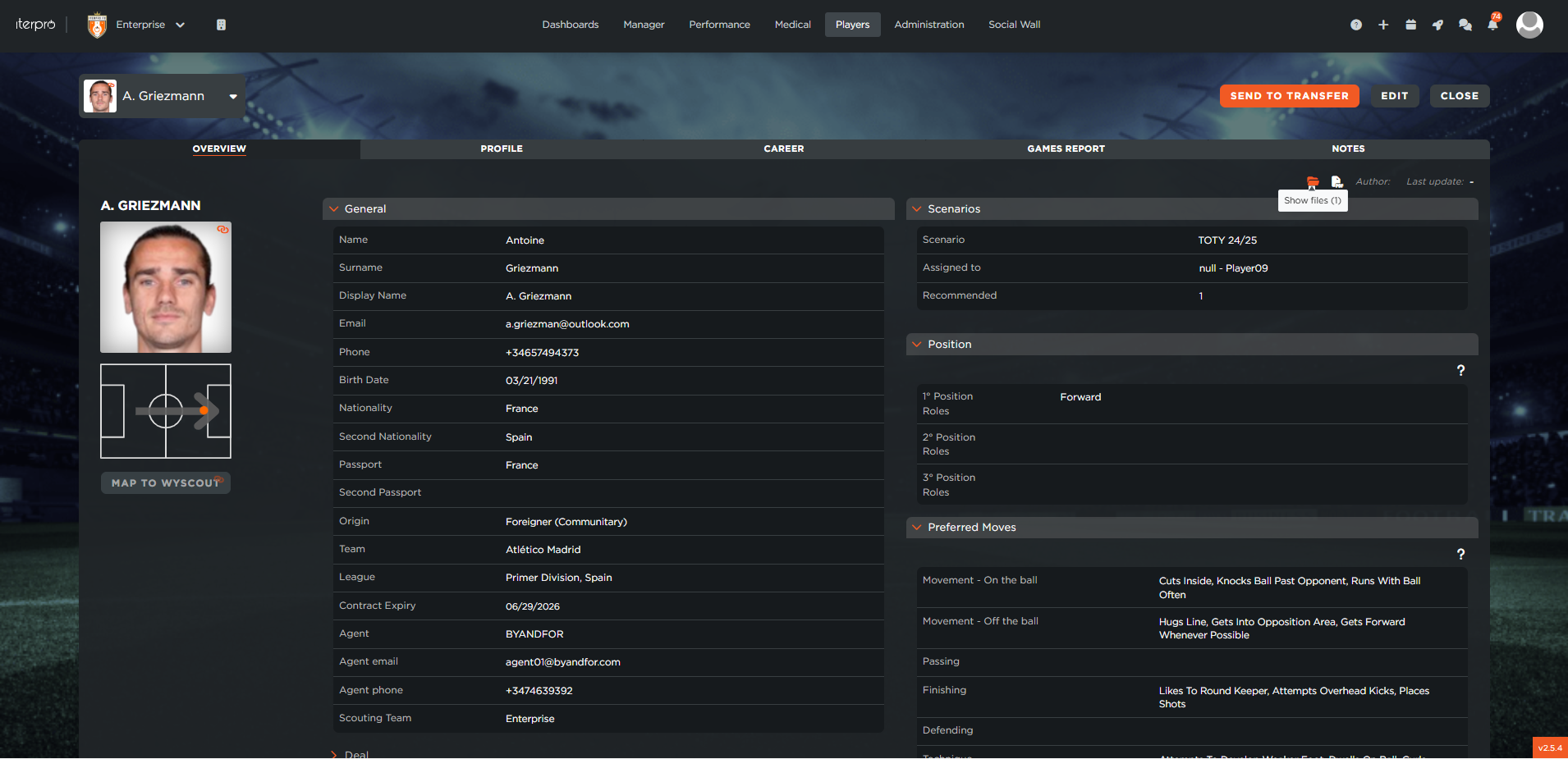
Once you access a player’s scouting profile, the first section you’ll encounter is the Overview. Here, you can set up and edit key details, including personal information about the player and the scout, deal-related information, attributes, playing position, and preferred moves. You can also manage supporting documents through the File Repository, where files related to the player can be uploaded, previewed, downloaded, and shared with selected users.
If the player has been imported from Wyscout, most of this data will be automatically pre-filled. Additionally, you can add the player to potential transfer scenarios, either by creating new ones or by assigning them to the shadow team in the scouting field view.
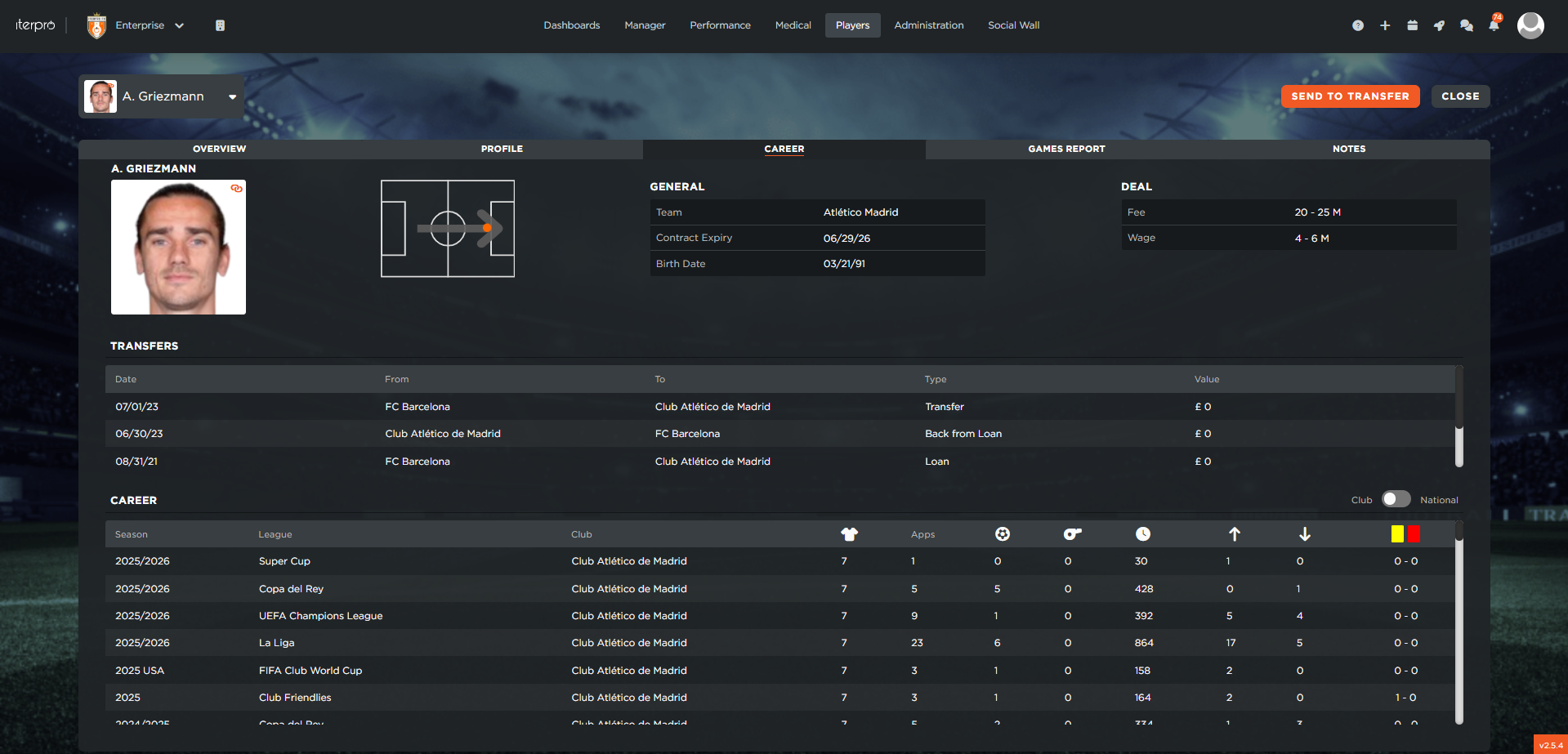
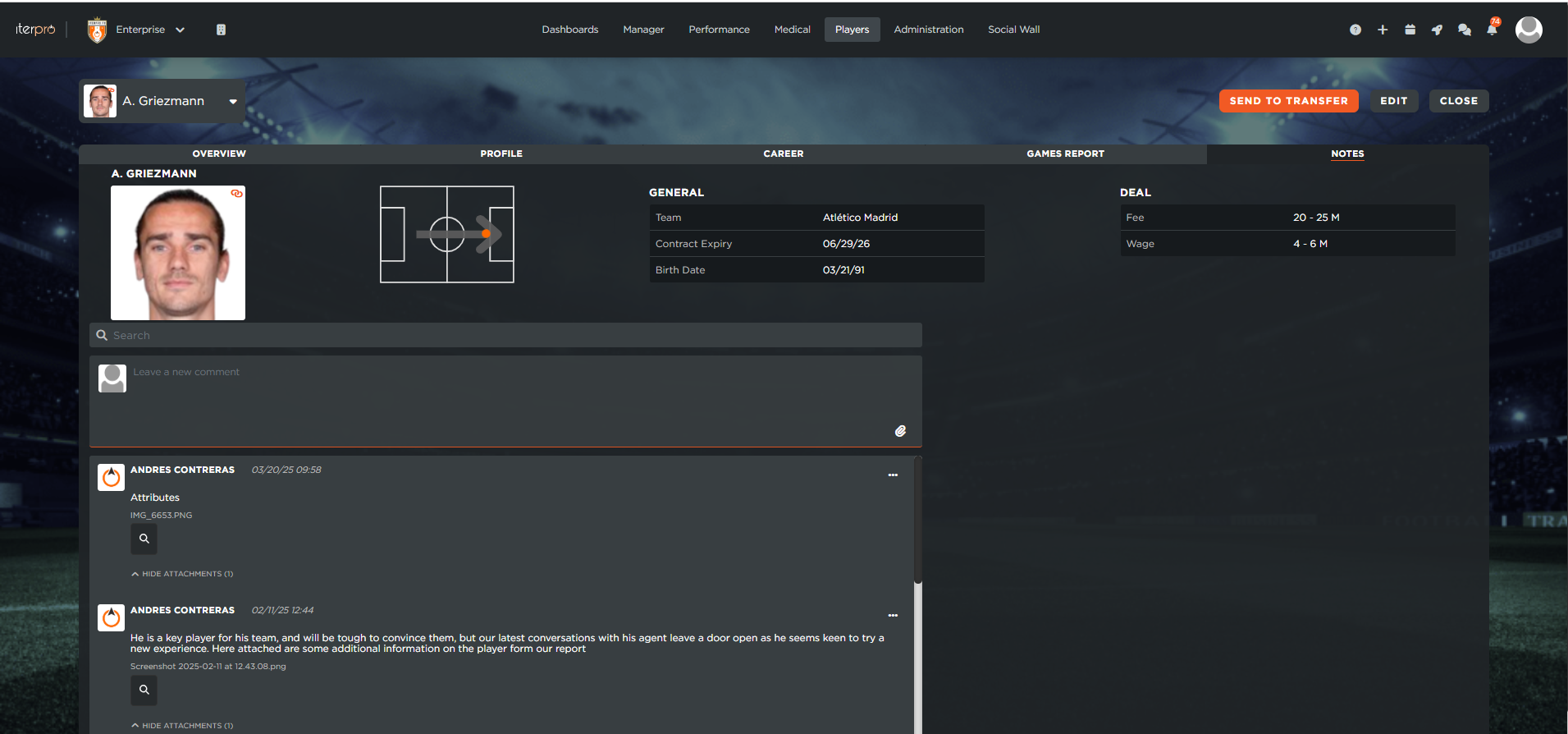
Moving on to the Career section—available only for Wyscout-imported players—you’ll find a history of past transfers and career statistics. The Notes section also allows you to attach relevant notes and maintain a direct communication thread with your scouting team, ensuring that everyone stays updated on the player’s potential transfer movements.
Player Report
The Player Report tab enables you to evaluate scouted players across various parameters. Here’s what you can do:
- Attributes: After setting up custom templates and evaluation metrics, you and your scouting team can create and maintain performance records for each player. Over time, you’ll be able to track the player’s progress, check historical records, and analyze improvements or declines.
- Development Tracking: The recorded attributes also impact the Development tab, where you can monitor the player's progress across different categories—offensive, defensive, and attitude—over time.
- Player Description: This section allows you to summarize the player’s strengths, weaknesses, and recommendations.
- Video Gallery: Upload and organize video clips related to the player.
- Talent ID: A powerful tool that lets you compare all scouted players within your team. Using filters and different visual charts (Gaussian, scatter plots, etc.), you can analyze player attributes and evaluate where a player stands in relation to others.
Game Report
The Game Report section consolidates all match reports created by your scouting team for the player. Here’s what you’ll find:
- A table listing game details, including the match date, competition, and the scout who completed the report.
- The ability to create new game reports, where you can access information about the competitions and matches the player has participated in (past and future), if imported from Wyscout.
- A redirect function that allows you to jump directly to a specific game report, where you can review scouting notes, attached videos, and documents.
- A deletion feature, enabling you to remove game reports either individually or in bulk.