ACCEPT THE INVITATION
CREATE YOUR ACCOUNT
FEATURES DESCRIPTION
This article explains how to complete your first login to Iterpro using the welcome email.
You should have received a welcome email from Iterpro to access your organization. You can open it from your phone or computer, but please note that the web app works best on laptop or iPad, using Google Chrome as your browser.
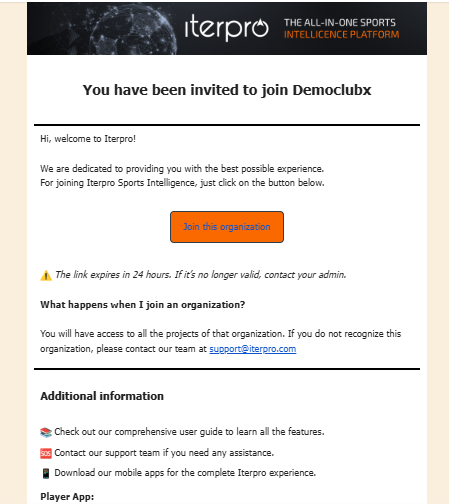
To get started, click the button “Join this organization.” Please note that this link is only valid for 24 hours after receiving the email. If it has expired, you will be redirected to an error page and will need to request a new invitation. In this case, just ask to one of the club admin users within your organisation/club to send you a new invitation or write an email to support@iterpro.com if you need any help from the Iterpro Support Team.
After clicking, a registration screen will open in the language of your browser. Simply click “Accept invitation.”
Now you can create your account by entering your first name and last name and clicking on the button CREATE ACCOUNT. At this point the system will redirect you directly to Iterpro Sports Intelligence.
It's important to underline that once the invitation has been accepted, the button JOIN THE ORGANISATION will not be valid anymore, so if you see the page "Linked expired", it's because or you have already accepted the invitation or because It has been 24 hours since you received the welcome email.
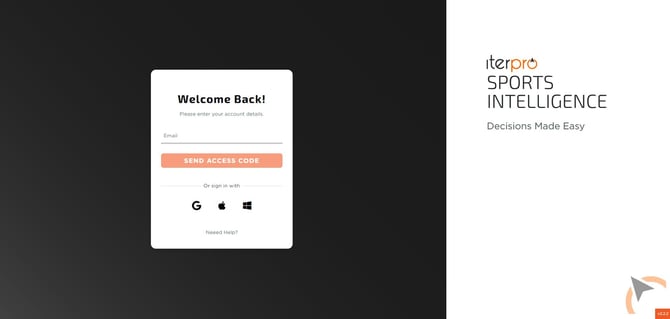
For subsequent logins, go to app.iterpro.com/login. You will be able to log in in three ways:
- With email + access code: enter your email address and click “Send access code.” You will receive a one-time code valid for 15 minutes, which you can paste into the login field and click “Verify.”
- With Google account: click the Google icon and enter your Google credentials.
- With Apple account: click the Apple icon and enter your Apple credentials.
- With Microsoft account: click the Microsoft icon and enter your Microsoft credentials.
It`s important to underline that Google, Apple or Microsoft account must be linked with the e-mail where you received the invitation.