- 00.05: add a player from Wyscout
- 00.29: add a player manually
- 00.45: create player(s) from CSV
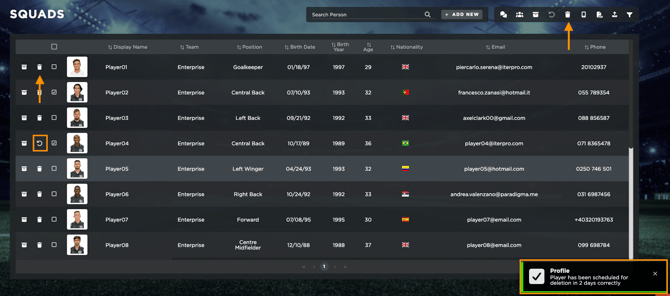
- 01.16: archive and/or delete players
Here is the article with all the rules and possibilities to fill the CSV file.
FEATURES DESCRIPTION
1. Adding a Player from Wyscout
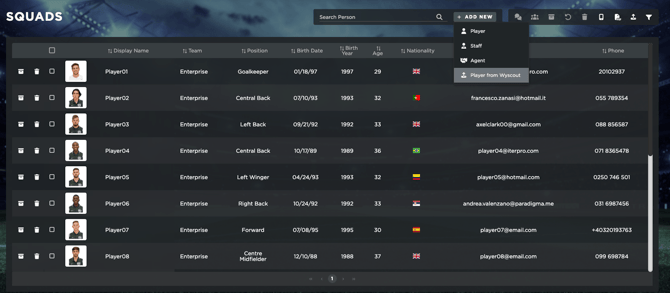
To create a new player, navigate to Administration > Squads. Here, click on "Add New", and you will have the option to import a player from the Wyscout database. However, keep in mind that this feature is only available if your team is covered by Wyscout and if your contract includes the Wyscout integration.
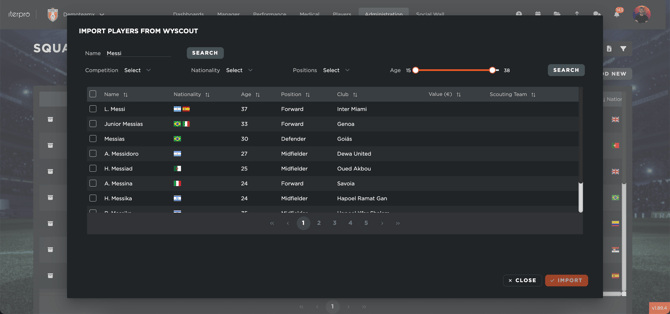
To proceed, simply type the player's name in the search bar. Once the system finds the player, a preview will be displayed. You can select the player and continue searching for additional players if needed. After selecting all the players you want to add, click "Import". The system will then prompt you to assign the players to a specific team and season. Once confirmed, click "Save", and the players will be added to your squad.
2. Adding a Player Manually
Alternatively, you can create a player manually. To do this, click on "Add New" and enter the required player details.
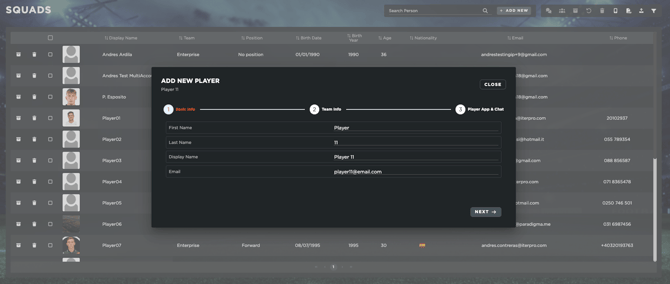
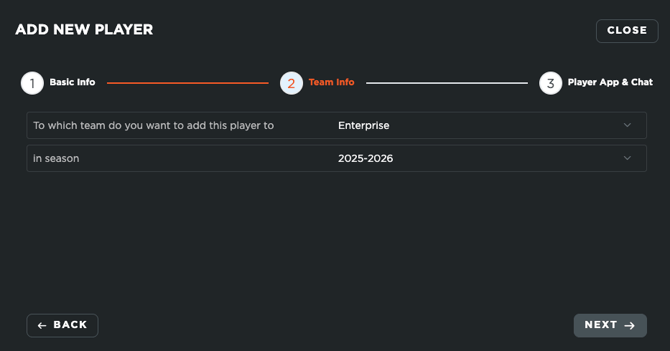
Just like with the Wyscout import, you will need to select the team and season for the player.
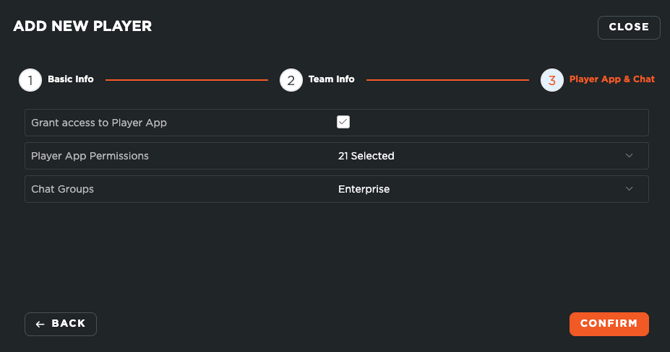
Finally, you will also be able to add the player app permissions to the player and include him in your team chat groups.
3. Bulk Import via CSV
The third option allows you to add multiple players at once using a CSV file upload. To do this:
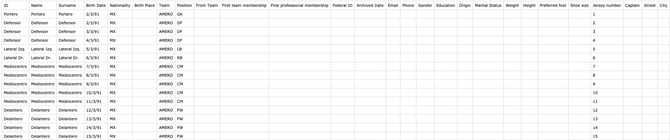
- Download the sample CSV template.
- Ensure that all data is formatted correctly. If necessary, adjust the settings in Excel to match the required format.
- Fill in the CSV file with the player details.
- Export file as CSV (very important).
- Refer to the CSV format guide to check the mandatory and correct format for each field.
Once the file is ready:
- Click on the upload button and select your CSV file.
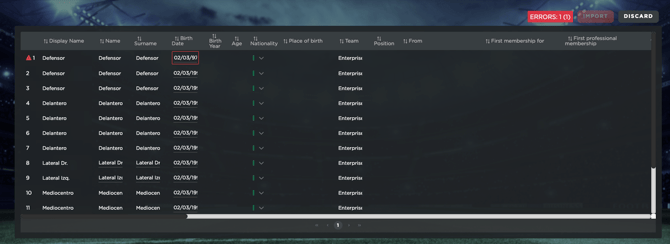
- The system will display a summary of the players to be imported.
- If any errors arise, the system will highlight them to you and allow you to edit. You won't be able to import until all errors are resolved.
- Click "Import", and you will be asked to confirm whether the players should be added to the current season.
By following these steps, you can efficiently manage and update your player database using the method that best suits your needs.
4. Archiving and/or Deleting Players
You will have the option to archive or delete the players inside your account. It's important to understand that:
- When we archive a player, we remove him from our active seasonal roster, but we keep him and all his data inside the system. This is highly recommended to maintain all the information collected before the player was archived (i.e., was sold, left the team, etc..)
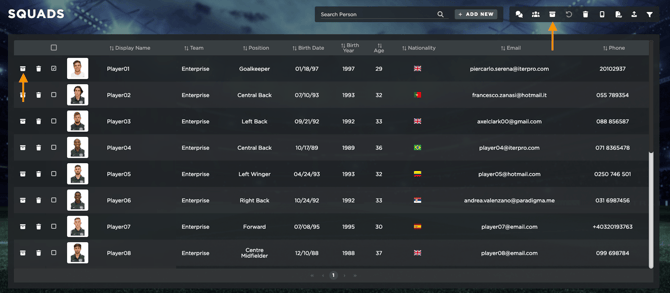
You will be able to review all the archived players of your team from within the Admin - Squads table by selecting the 'Archived' status in the filters. Within here, you will be able to reactivate the player's profile if needed.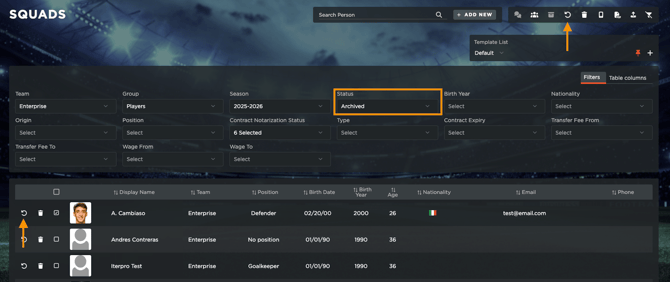
- When we delete a player, we are defenitely removing him from our system. This will delete any previous data collected on this player. Whenever you select the delete option, you will always have a 2-day grace period to undo the action.